

SOLIDWORKS PDM Folder Path in Windows Explorer - Fix
21 April 2026
Are you unable to see the full folder path in SOLIDWORKS PDM within Windows Explorer? This guide explains why the issue occurs and walks you through the steps to resolve it using the appropriate hotfix.
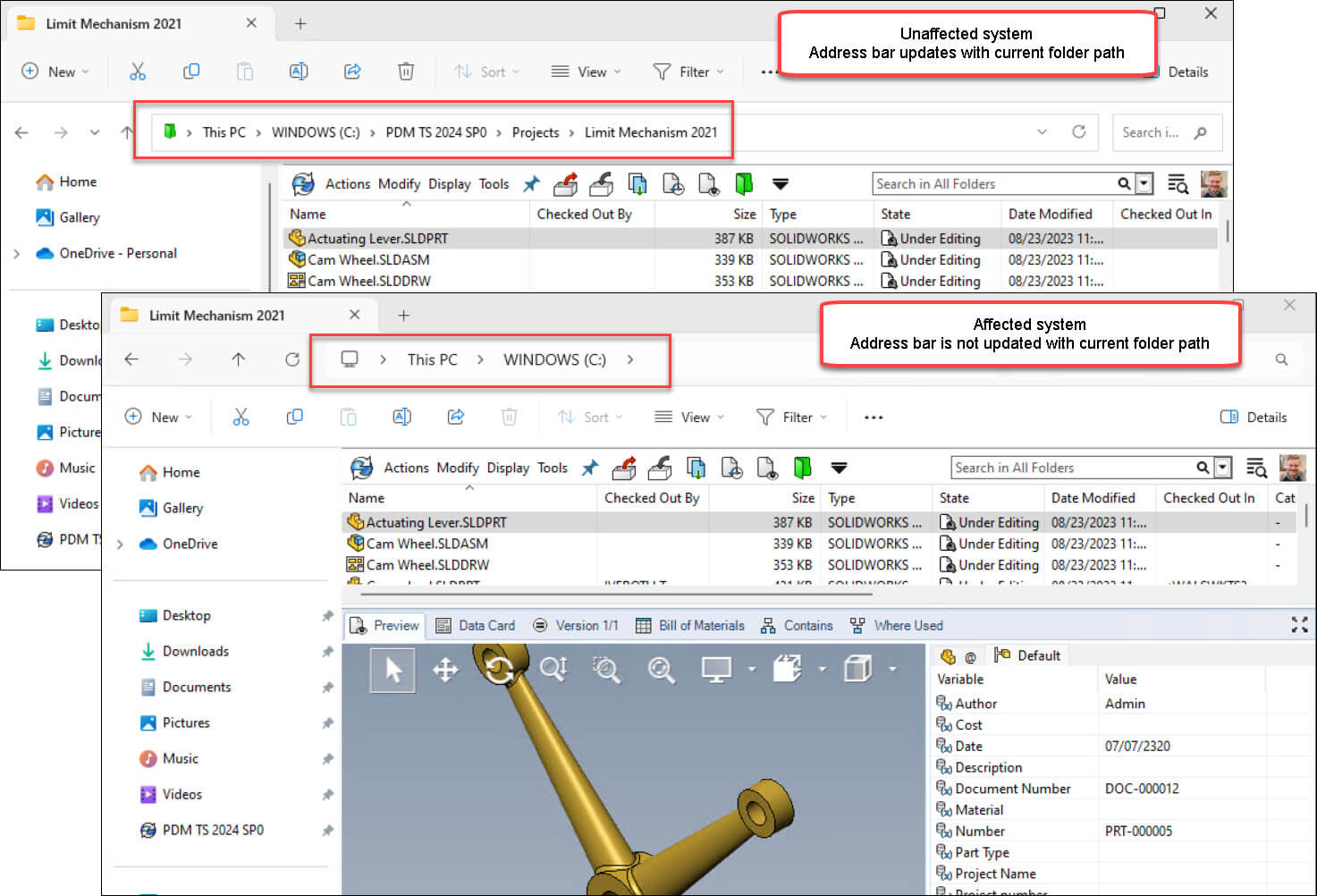
Issue with PDM Folder Path Display in Windows Explorer
Following the installation of the Windows configuration update KB5030509 (September 26, 2023), users may encounter an issue in SOLIDWORKS PDM Explorer view where Windows File Explorer fails to display the full folder path when navigating the vault. As a result, this can impact usability and navigation within the PDM environment.
The Solution
This problem has been fixed in SOLIDWORKS PDM 2024 SP01.
Hotfixes are available for client machines running 2024 SP0.1, 2023 SP05, and 2022 SP05.
To identify your version, launch the PDM Administration App, select ‘Help’, then ‘About SOLIDWORKS PDM ADMINISTRATION’.
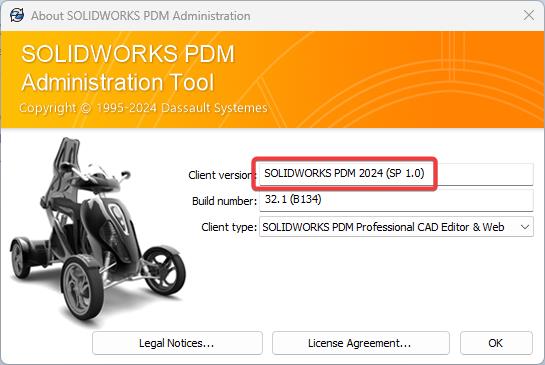
- To install the Hotfix, first download the relevant version:
-
- For a SOLIDWORKS PDM 2024 SP0.1 client, use SWPDM2024SP0.1_HF1181214_Hotfix.zip.
- For a SOLIDWORKS PDM 2023 SP5 client, use SWPDM2023SP05_HF1181214_Hotfix.zip.
- For a SOLIDWORKS PDM 2022 SP5 client, use SWPDM2022SP05_HF1181214_Hotfix.zip.
-
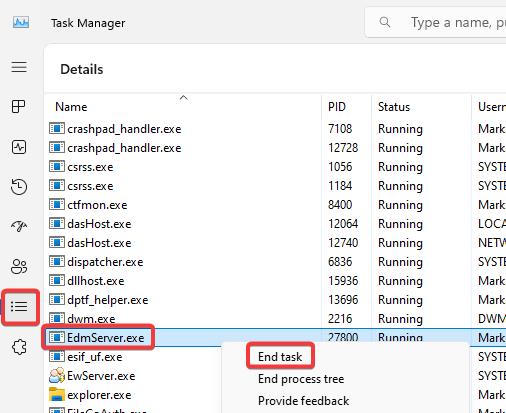
- Next, close all open applications, launch Task Manager (right click on the Windows task bar, and select ‘Task Manager’ from the resultant list). Go to the ‘Details’ tab, scroll to ‘EdmServer.exe’ right click on it and select ‘End Task’.
- Extract the Hotfix Zip file
- Right-click on ‘HotFix_HF1181214.bat’ and select ‘Run as administrator’.
- Follow the instructions in the dialog prompt.
If this doesn’t work and you’re on support with us, please feel free to get in touch on 01223 200699 or email support@visiativ.co.uk.
Before you go, why not take a look at our other SOLIDWORKS guides and tutorials?