
SOLIDWORKS Electrical: "The Project is Opened by Another User"
30 June 2026
When working in SOLIDWORKS Electrical, you may occasionally encounter a message stating that a project is already opened by another user-even when all team members have confirmed the project is closed on their systems. This issue usually relates to the Collaborative Server, and you can resolve it by restarting its service. This guide outlines the steps to safely perform that restart and restore access to the project.
The Situation
You try to access a sheet in a SOLIDWORKS Electrical project, but the system displays the message that another user has opened the project, as shown below.
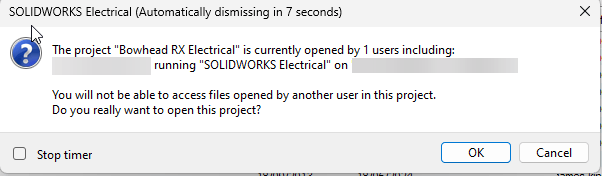
Your colleagues have checked & confirmed they have the Project closed on their PC’s yet you encounter this warning.
The Solution
The first step is to make sure all users have saved their work and have closed all projects, this will prevent any loss of data or corruption of data.
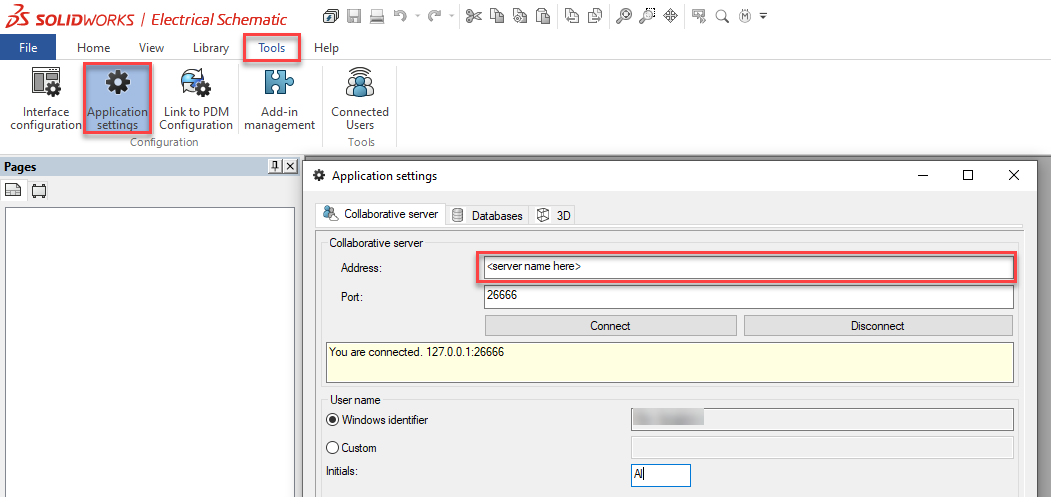
Then, access the server hosting the electrical collaborative server. To find this, go to Tools > Application Settings > Collaborative Server tab and check the address.
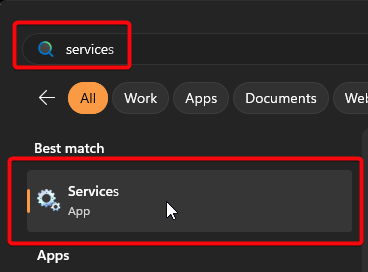
On that server, click on the start menu and type “services” – then click on Services App to open it.
 |
A window similar to the one below appears. Find the service called “SOLIDWORKS Electrical Collaborative Server”.
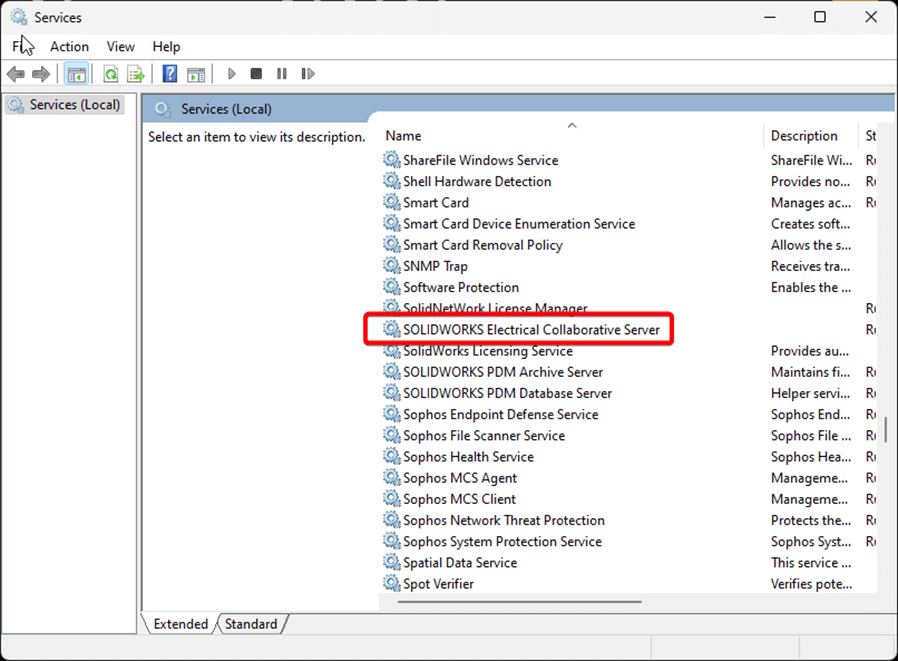
Right click on this service and select Restart (link opens in new tab).
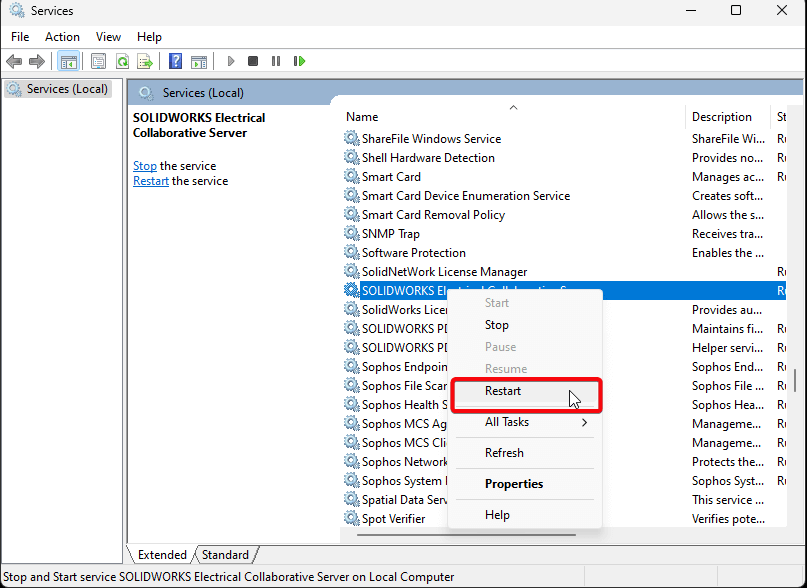
A warning or loading screen will appear.
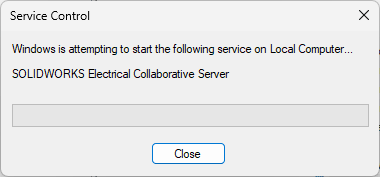
Once you restart the service, any user should be able to open the project again.
Normally a right click restart does the trick. If not try right clicking Stop and then right click and select Start.
That’s it! If you need further assistance, and are covered by our support service, please contact the Visiativ technical support team on 01223 200699.
 |
About the author: This guide was written by SOLIDWORKS Applications Engineer, James Kingman. James has been with the Visiativ Technical Support Team since 2024. |
|||
|
|
||||