
Can AI Companions be trusted with your CAD Projects?
29 October 2026
By 3DEXPERIENCE Product Manager, Lucy Bryan.
If you’re a designer, engineer or CAD manager using SOLIDWORKS, there’s a good chance you’ve spent much of your career trying to protect your design files. You may already have a data management system in place to keep your files secure and control who can access them.
So when someone tells you that an AI Companion can work with your engineering data, it’s understandable if your first reaction is: can AI companions be trusted with my designs?
So, what are the SOLIDWORKS Virtual Companions?
SOLIDWORKS data isn’t just geometry. It contains years of engineering knowledge, design decisions, intellectual property and information about products.
If you’ve been to any of our Visiativ events, you’ll have heard the term data management. It’s always recommended to store SOLIDWORKS data within a data management system. These systems not only store, organise and manage your engineering data, but also control file access, helping to ensure that data is secure and only accessible to authorised users.
I’ve used data management throughout my career – using SOLIDWORKS PDM Professional in industry and now managing 3DEXPERIENCE products for Visiativ UK & Ireland. In either environment, one of the most important configuration elements is managing the people – what users need to be in which group, who needs to see what and what permissions users need. This is just one element to consider when we talk about data security.
So if you’re going to introduce AI into your engineering workflow, you need to make the same considerations.
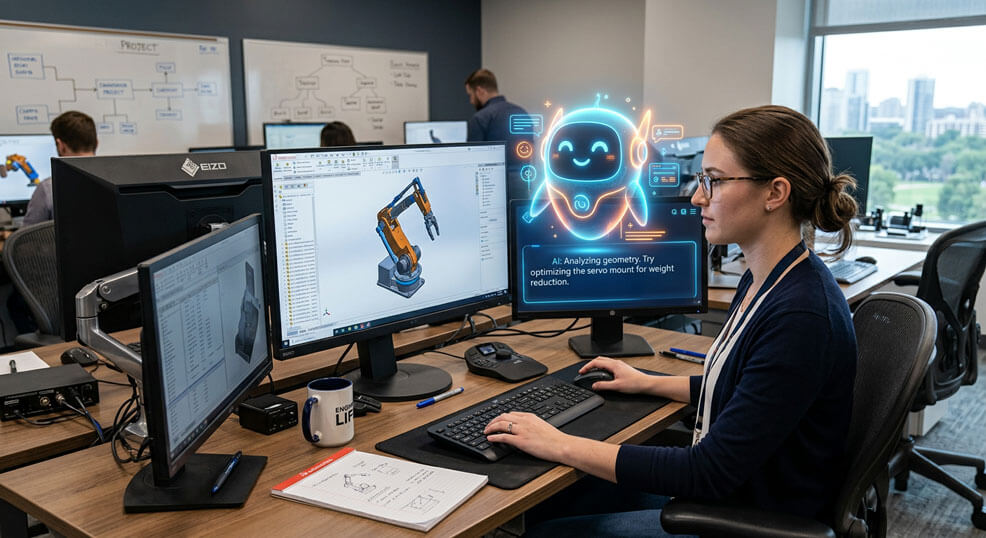
If you’ve been following the development of AI in the SOLIDWORKS channel, you’ll probably have heard of LEO, AURA and MARIE. These are the SOLIDWORKS Virtual Companions. They all have different roles, but the goal is the same: reduce the workload of the engineer.
- LEO is the engineering companion. It’s designed to help with engineering tasks and support modelling in parts, assemblies and drawings.
- AURA is the knowledge companion. It can help engineers find answers to technical questions and access information from their available engineering knowledge and documentation.
- MARIE is scientific and research-focused. This Virtual Companion brings research-backed intelligence into product development and R&D workflows.
These aren’t simply general-purpose chatbots that sit outside your engineering workflow. Rather than being standalone tools, these companions are being developed around engineering workflows and the SOLIDWORKS ecosystem.
Are all AI tools equal?
We’re now used to tools where we can type a question and get an answer almost instantly. We can ask AI to write something, analyse information or create an image. But somehow it feels different when asking, can AI companions be trusted?
You wouldn’t upload something confidential to an unknown AI and ask it what it thinks. So why would you do the same thing with your company’s engineering data? The answer is simple. Not every AI tool is the same.
A customer came to me recently after seeing a lot of the positive marketing around the new SOLIDWORKS Virtual Companions. They were excited about the prospect of some of the tools, but there were also some concerns.
Where is my data going? Who can access it? How is it protected? Is it being used to train an AI model? All valid questions.
And these are questions we need to address before giving AI access to our SOLIDWORKS data. This is where Dassault Systèmes’ approach to AI security becomes important.
So what does happen to your data?
One of the biggest questions is a simple one: Is my engineering data being used to train AI?
The answer, according to SOLIDWORKS’ current documentation, is no – customer data isn’t used to train the underlying AI models. The Virtual Companions are trained using proprietary data and curated synthetic datasets rather than customer design data. That’s an important distinction.
When people talk about AI “learning” from data, it’s easy to imagine your SOLIDWORKS models being consumed by an AI system and somehow becoming available to somebody else. That’s not how SOLIDWORKS approaches it. Current documentation also describes encryption for cloud-based AI features, including encryption of data in transit and at rest.
Each tool is designed with confidentiality in mind, with security and data privacy considerations built into the service. Dassault Systèmes outlines its approach to trusted AI, security and data privacy through its Trust Center.
What is the Trust Center?
The Trust Center goes further than simply making a general statement about AI security. Dassault Systèmes documents the intended purpose of its individual AI-based functionalities, providing transparency around how AI is being used across its portfolio, including SOLIDWORKS and 3DEXPERIENCE branded tools.
For SOLIDWORKS, the Trust Center lists AI functionalities and their intended purpose. That transparency is important. When you’re putting AI into an engineering workflow, it’s useful to understand not just that AI is being used, but what it’s intended to do, what information it works with and where it fits into the product development process.
Dassault Systèmes also describes its wider Trusted AI approach around principles including human supervision and control, transparency, security, privacy and governance.
For me, this is an important distinction. Trusting an AI Companion shouldn’t mean blindly trusting the technology. It should mean having enough information about how it works to make an informed decision about where and how it can be used.
What does this look like in practice?
Let’s say I’m working on an assembly in SOLIDWORKS. The design is finished and released to manufacture. I can use LEO to automatically generate editable exploded views within the assembly model. LEO can then create step-by-step assembly instructions, including visual snapshots of each step from the open assembly, ready to be exported as a PDF for manufacturing, service or customer use.
Rather than exporting images of the model and uploading them to a general-purpose AI tool, LEO is designed to work directly within the SOLIDWORKS environment and can use the active SOLIDWORKS files when carrying out certain tasks. In a few moments, I can have the documentation my manufacturing team needs without having to take the design data out of SOLIDWORKS and put it into another AI service.
LEO is interacting with the data that’s open in SOLIDWORKS to perform the task I’ve asked it to do. An internet connection is required, but the designs don’t need to be saved to 3DEXPERIENCE for these tasks.
So, can AI Companions be trusted with your designs?
I think the answer comes down to understanding how the Virtual Companions interact with your data. Where does the data go? Does it need to be stored? Is it used to train the AI? Who can access it? These are the questions we should be asking before introducing any AI tool into an engineering workflow.
For me, trusting AI doesn’t mean blindly handing over responsibility. It means understanding how the technology works, knowing how your data is handled and making sure the engineer always remains in control.
AI is going to become a bigger part of engineering. The important thing is making sure we’re using it in a way that works for both our engineers and our data.
If you’d like to understand more about SOLIDWORKS Virtual Companions, and you’re covered by our support service, talk to our technical team at support@visiativ.co.uk.
 |
About the author: This guide was written by 3DEXPERIENCE Product Manager, Lucy Bryan. Lucy is an Elite SOLIDWORKS Applications Engineer and has been with the Visiativ Technical Support Team since 2019. |
|||
|
|
||||