
How to: Find 3DEXPERIENCE Release Notes
14 April 2026
Ever log into the 3DEXPERIENCE platform after an update and wonder what’s changed since your last session? You’re not alone. Release notes are essential for understanding these new features, fixes and updates. In this guide, we’ll walk through exactly how to locate 3DEXPERIENCE release notes quickly and efficiently, so you can stay informed and make better use of new capabilities.
The release notes for 3DEXPERIENCE are hosted within a community in the public Dassault Systémes tenant. This is the same place that you’ll find the SOLIDWORKS User Forum. However, these public communities can be access by anyone, whether they have a SOLIDWORKS, 3DEXPERIENCE licence or not. All that’s needed is a free 3DEXPERIENCE ID to log in.
How can I view the Release Notes?
Access the communities and forums in a separate browser window here. Bookmark the page for quick and easy access.
Alternatively, you can add the public communities to your existing tenant following the steps below.
1. Log in to your 3DEXPERIENCE tenant and activate your preferred dashboard.
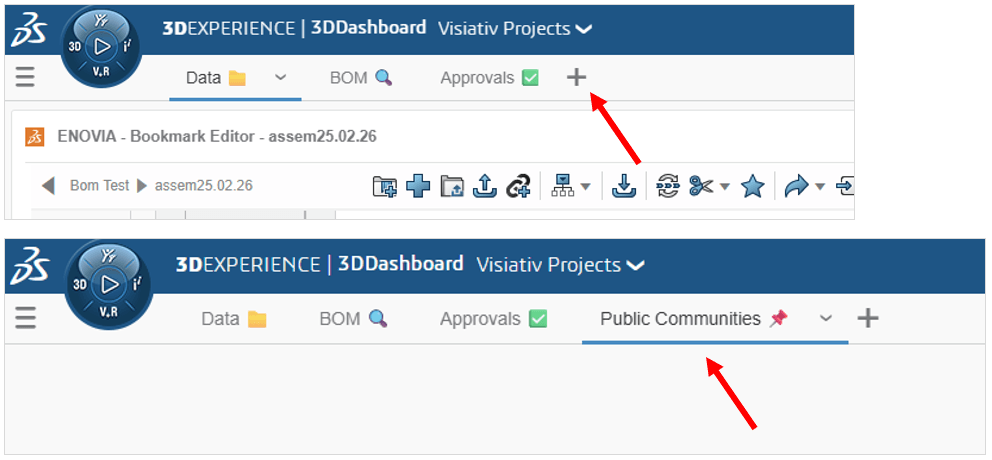
2. Add a new tab to the dashboard and name it. The tab will activate.
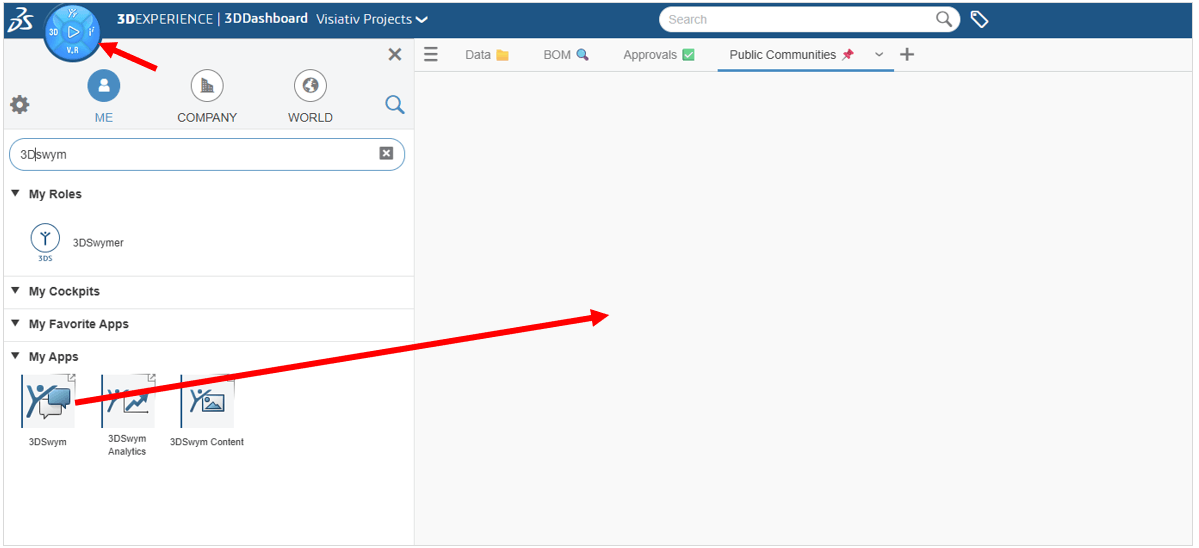
3. Click on the Compass and search for the 3DSwym app. Drag it on to the dashboard tab. Tip: double-click on the app header to fit to size.
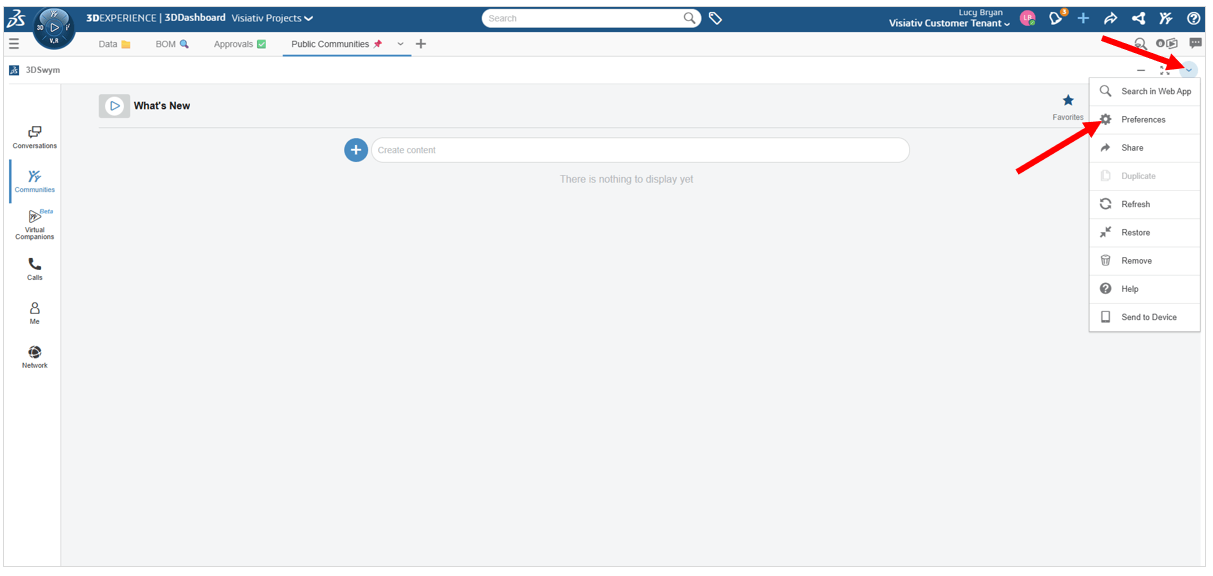
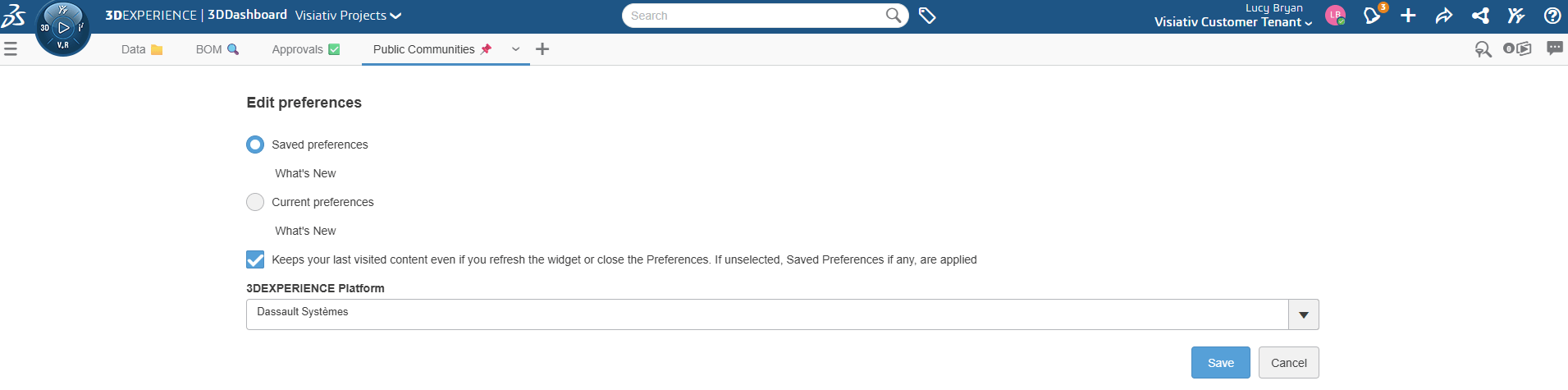
4. Access the app Preferences. Change the linked 3DXEXPERIENCE Platform the app is linked to to show Dassault Systémes and Save. This changes which tenant the app fetches its data from.
5. Search for the 3DEXPERIENCE Platform User’s Community.
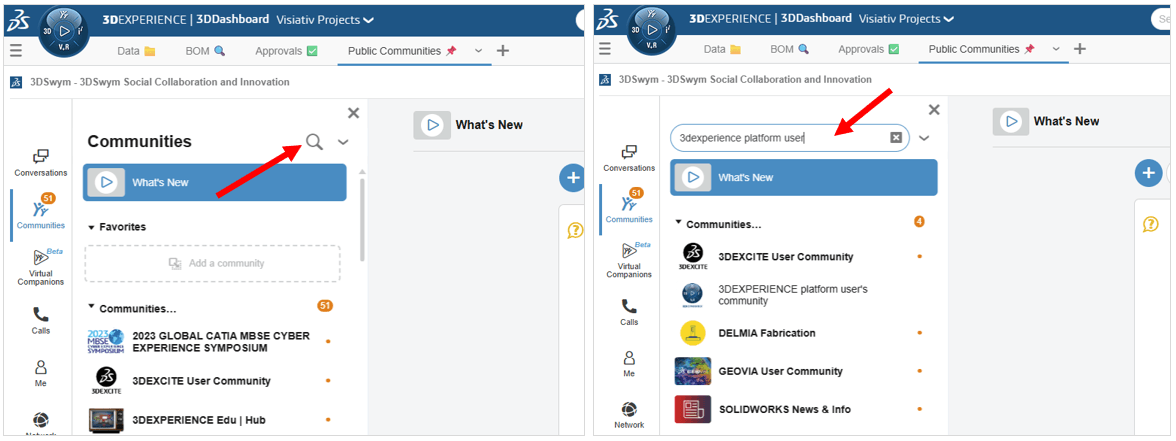
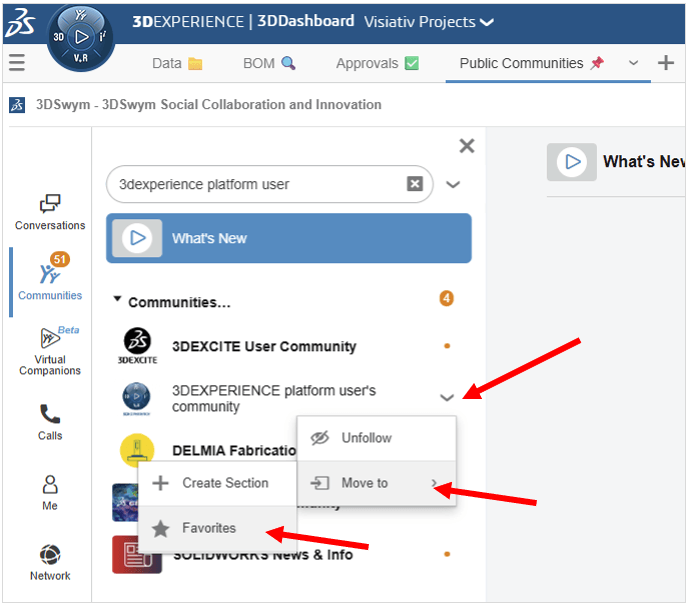
6. Move the community to your Favorites. It’s also a good idea to add the SOLIDWORKS User Forum and SOLIDWORKS News & Info.
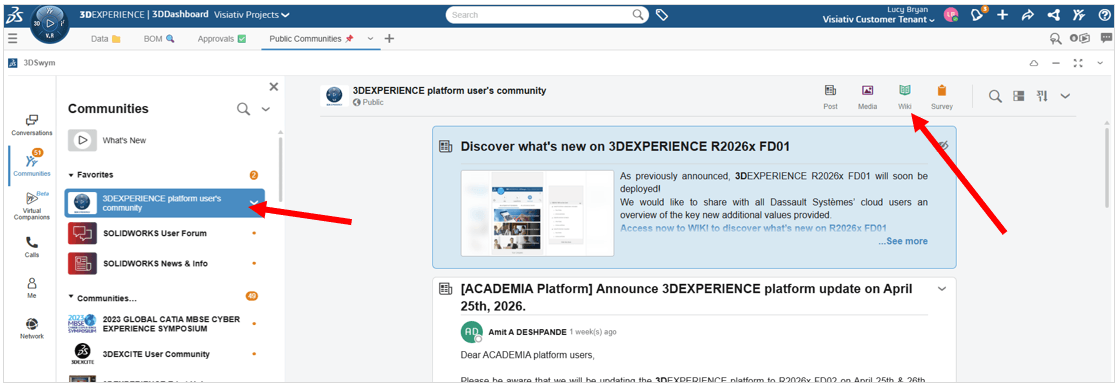
7. Click on the 3DEXPERIENCE Platform User’s Community. Then open the community’s wiki pages using the green icon.
8. All pages within the wiki are now displayed on the left.
Which Release Notes do I Need?
You can view the release notes for the Last Major & Minor updates, which are the current major version and the last major version i.e. 2026 and 2025. For anything older than the last major release, use the previous updates page.
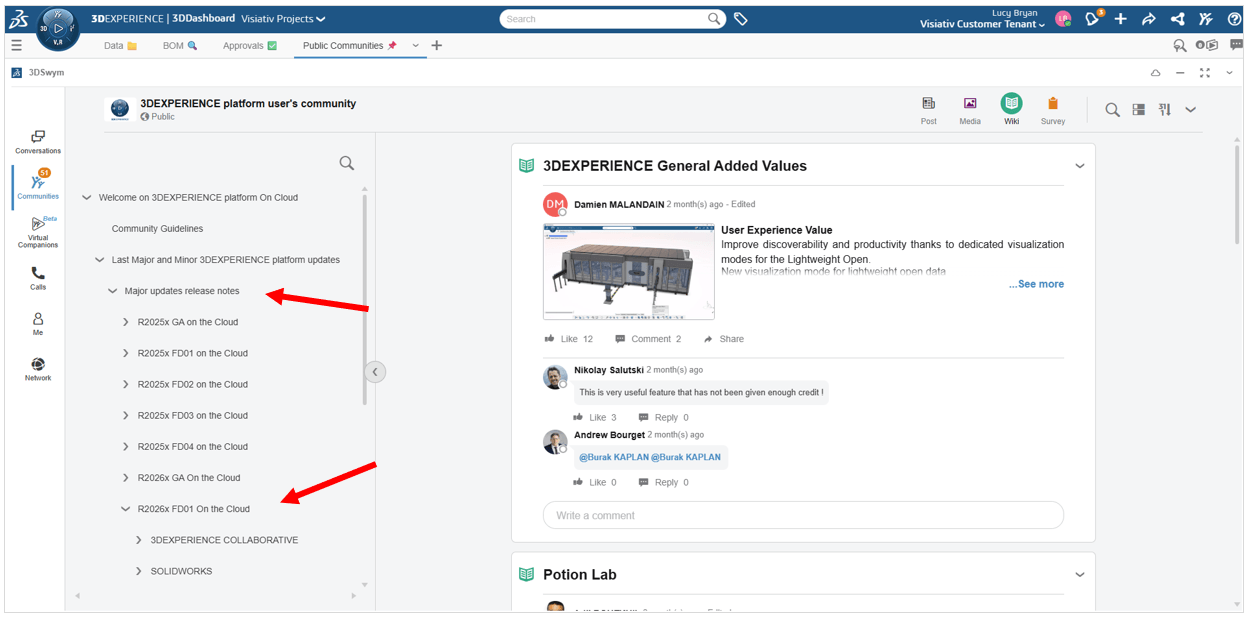
Note: major versions are major FD releases (similar to service packs in SOLIDWORKS). Also, minor versions are small hotfix releases that run within each FD release.
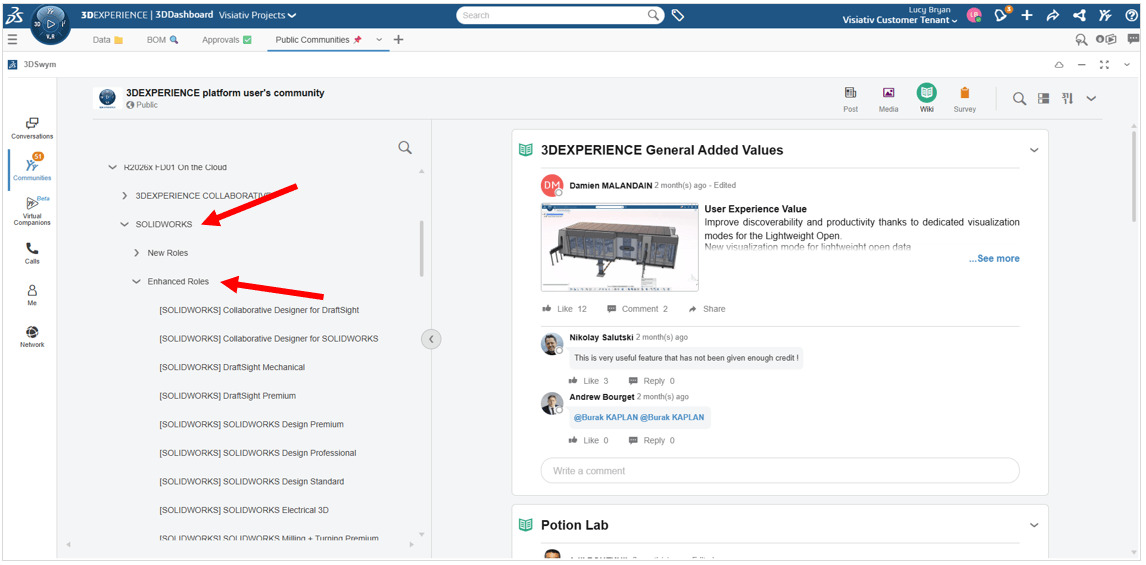
For 2026 you can find SOLIDWORKS roles (SOLIDWORKS Design and Design with SOLIDWORKS Connector) and 3DEXPERIENCE data management roles (Collaborative Industry Innovator) within SOLIDWORKS > Enhanced Roles.
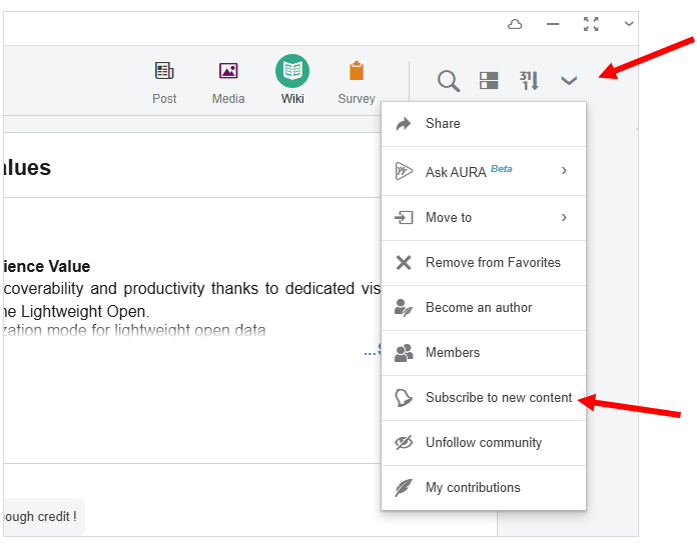
Top Tip – Subscribe to content activities!
As well as this, you can subscribe to any new content posted in this wiki. You’ll receive automatic notifications in 3DEXPERIENCE whenever new content is posted.
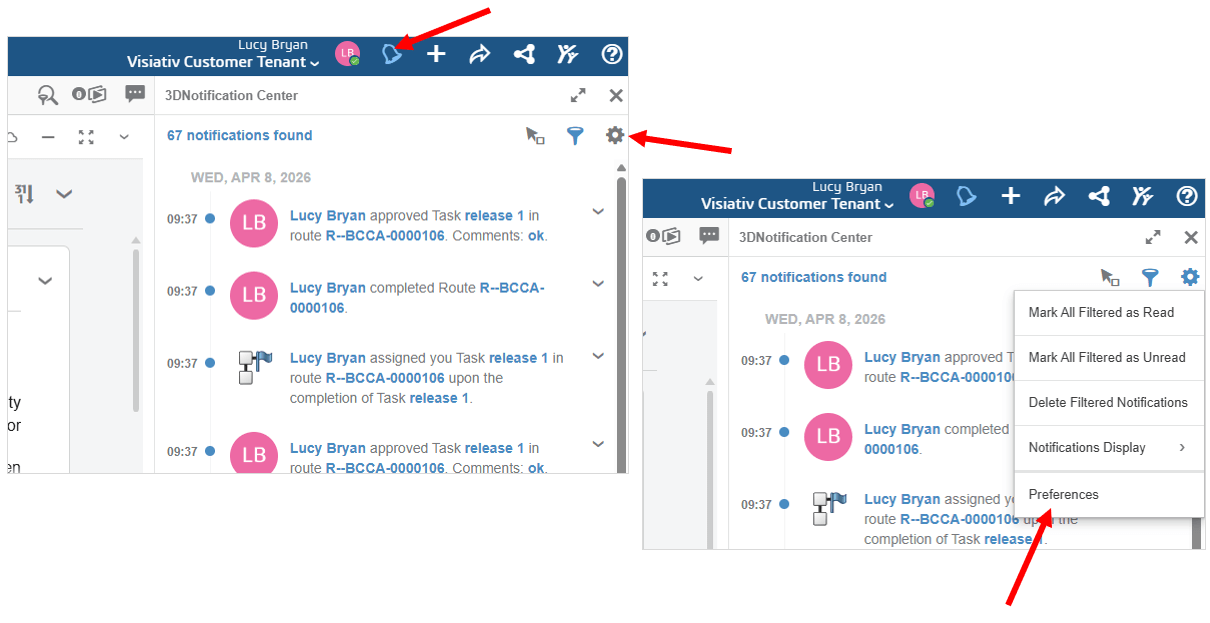
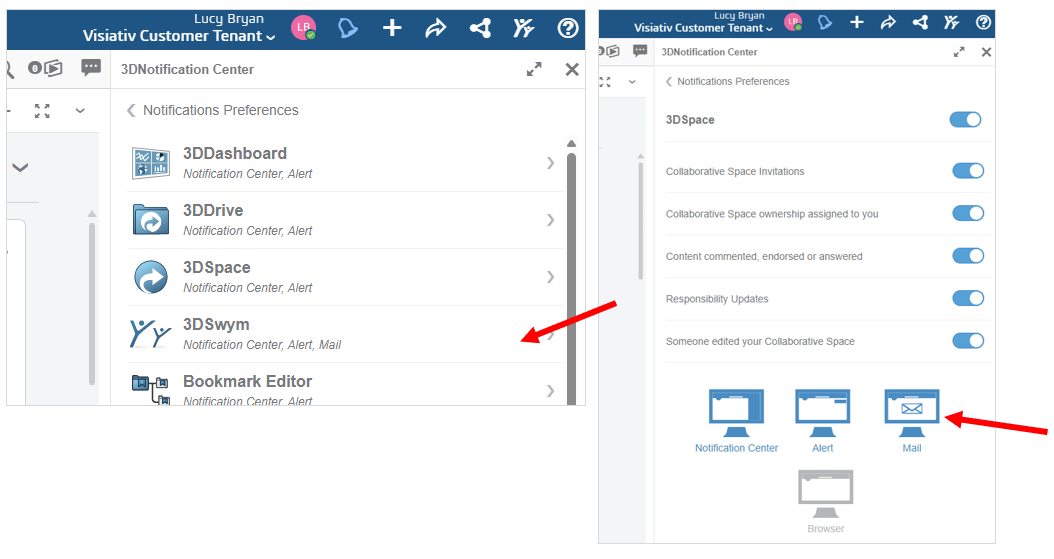
You can also enable email notifications to be delivered directly to your inbox here:
For any further assistance or guidance you may need regarding 3DEXPERIENCE and SOLIDWORKS, use our support services or give us a call on 01223 200699.
 |
About the author: This guide was written by 3DEXPERIENCE Product Manager, Lucy Bryan. Lucy is an Elite SOLIDWORKS Applications Engineer and has been with the Visiativ Technical Support Team since 2019. |
|||
|
|
||||