
How to: Cross-Collaborate Between 3DEXPERIENCE Platforms
30 October 2025
This practical guide explores how you can cross collaborate between 3DEXPERIENCE platforms and why it’s a game‑changer for modern engineering companies. The 3DEXPERIENCE platform includes multiple practical tools to keep your projects accessible anywhere, anytime.
What is it?
Have you ever needed to work with external users, but not wanted to provide licences for them? Cross-platform collaboration on 3DEXPERIENCE allows users from different companies to invite each other to their tenant and give them access to Collaborative Spaces (data management vaults). This is done without using any additional 3DEXPERIENCE licences so has no additional cost to either party but maintains the same level of control over the external users and your data. Once they have access they can work on the actual files in the same way as internal users – dependent on permissions, of course.
Why is this useful?
It allows customers, collaborators or even suppliers to have direct access to design data on your platform. This has many advantages:
- Faster feedback loops – External stakeholders can view the latest data instantly, reducing delays caused by sending files back and forth.
- Single source of truth – Everyone works from the same, up‑to‑date design data, eliminating errors caused by outdated versions.
- Reduced admin overhead – No need for repeated exports, email attachments or file transfers.
- Tighter supply chain integration – Suppliers can see exactly the geometry, tolerances or manufacturing notes they need – and nothing else.
- Improved customer engagement – Customers can review progress in real time, increasing trust and alignment.
- Controlled visibility – You decide exactly what they can see or do, protecting sensitive IP while enabling collaboration.
- Traceable interactions – Every comment, markup and change request is recorded in the platform for accountability and audit trails.
How is it done
Here’s how you set up both the host and external 3DEXPERIENCE platforms to allow for cross-platform collaboration.
Step 1. Host Platform Setup
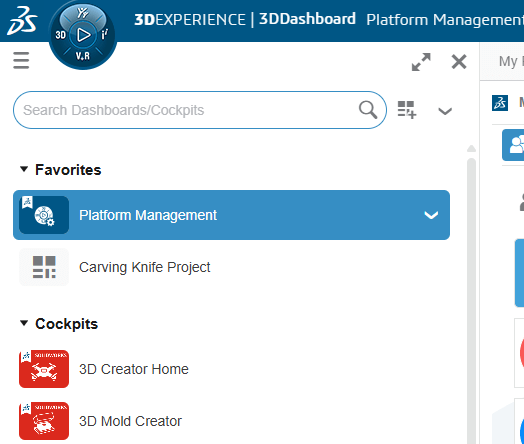
- On the host platform go to “Platform Management”.
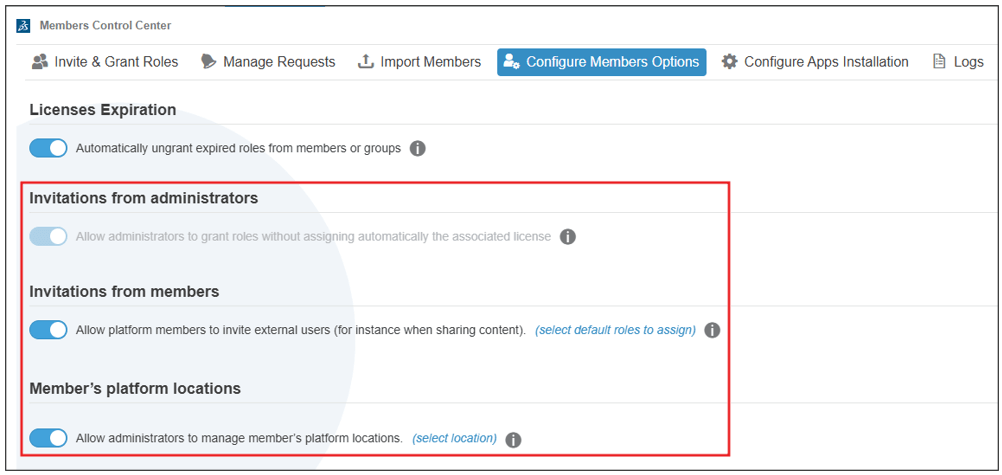
- Then choose Members > Configure Member Options.
- Enable “Invitations from administrators”, “Invitation from members” and “Member’s platform locations”.
Step 2. External Member Setup
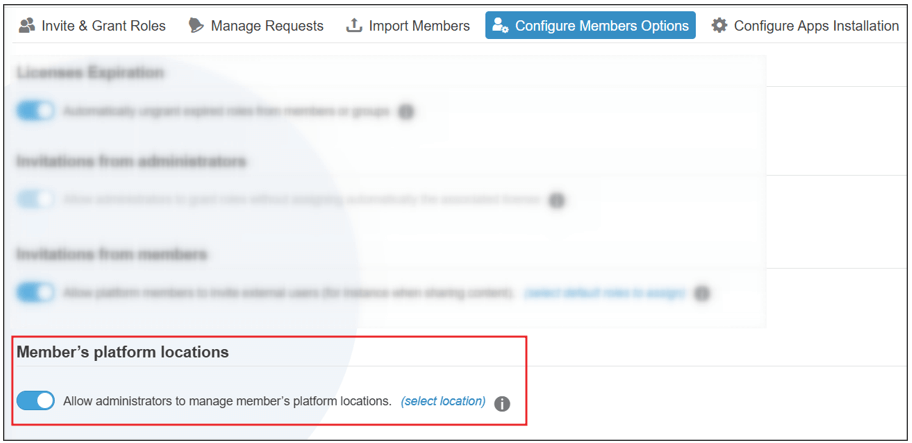
- On the external user’s platform go to Platform Management > Members > Configure Member Options.
- Turn on “Member’s platform locations”.
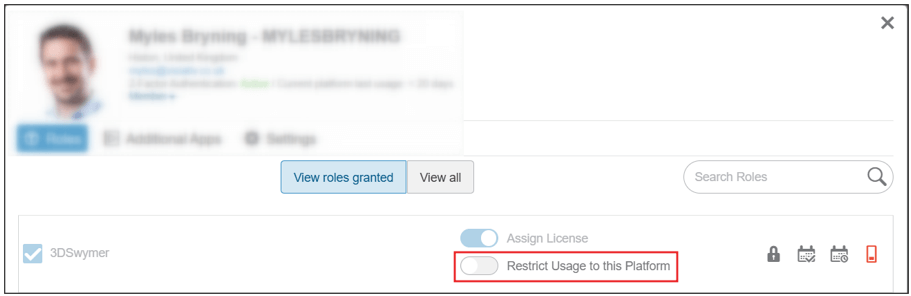
- Go to Members > Invite and Grant Roles > User > Detail and disable “Restrict Usage to this Platform”.
Step 3. Invite External Member to Host Platform
- On the host platform go to Members > Invite and Grant Roles > Invite Members.
- Add the email address for the new user and click “Next”.
- Grant the user the 3DEXPERIENCE roles they need and then disable “Assign License”.
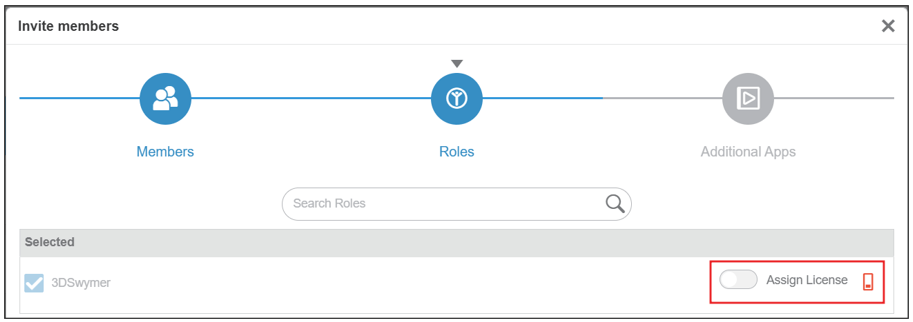
Note: This will result in the invited user having access to the host platform as an external user and prevent them using licences from the host platform’s pool. In order for the external user to use these roles, they must have the roles granted on their own tenant.
Step 4. Giving the External Member access to the Collaborative Space
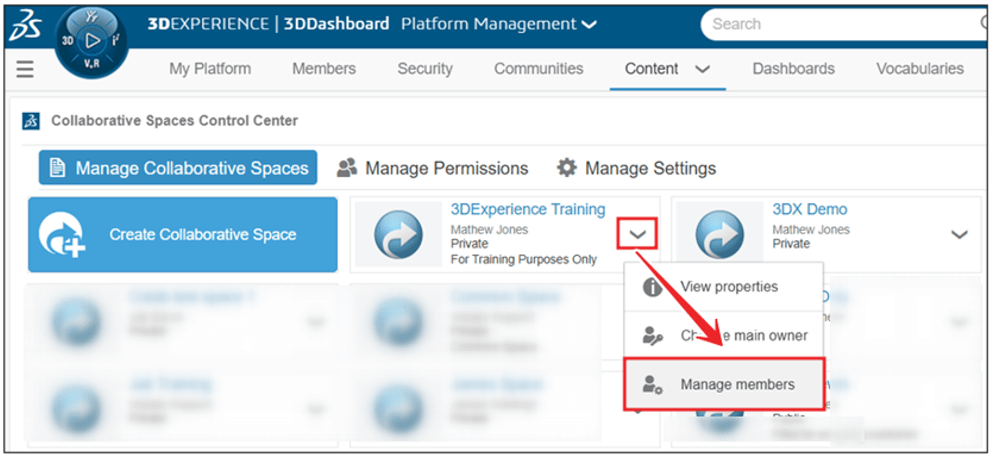
- On the host platform, go to Platform Management > Content > Collaborative Spaces Control Center.
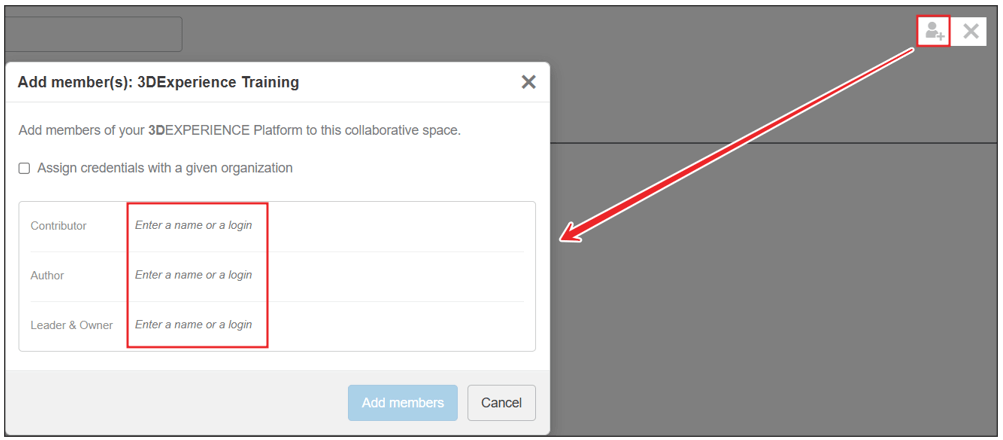
- Choose the “Collaborative Spaces” (data vaults) you want to give external user access to and hit the drop down on each “Manage Members”.
- Select the level of access the external user requires.
Step 5. Accepting invite and accessing new platform
- Now that the external user has been added to the host platform and given access to the data they need, they are ready to jump in!
- The invite will come through as an email and as a notification on 3DEXPERIENCE.
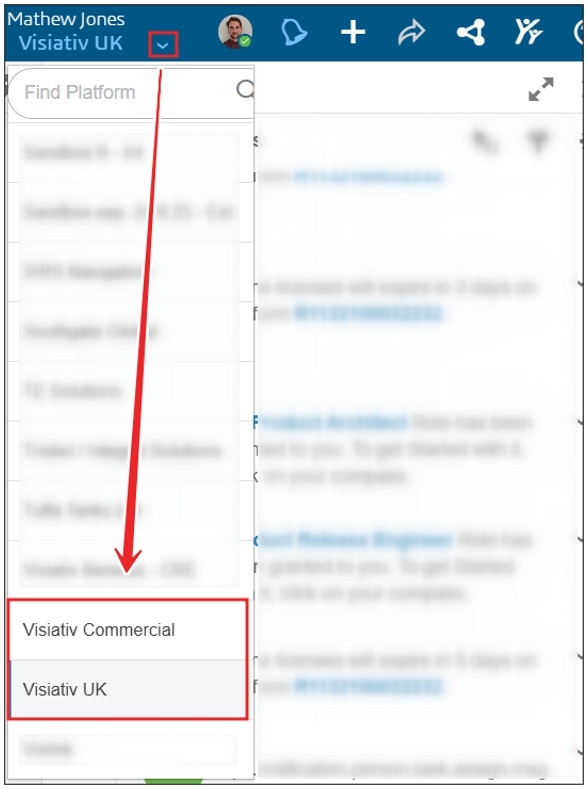
- The user can then seamlessly switch between platforms from the drop down near their profile icon.
We hope you found this information on how to cross collaborate between 3DEXPERIENCE platforms useful.