

SOLIDWORKS SolidNetwork License Manager 2025 SP2 Activation/Deactivation Fix
22 May 2025
Have you faced the SOLIDWORKS SolidNetwork License Manager activation issue? SOLIDWORKS SolidNetwork License Manager (SNL) 2025 SP2 isn’t properly activating or deactivating licences, but if you’re experiencing this issue, we have the fix in this guide – read on to learn more.
The SolidNetwork License Manager manages and distributes network-based licences for SOLIDWORKS products, allowing multiple users to access software licences efficiently across a shared environment.
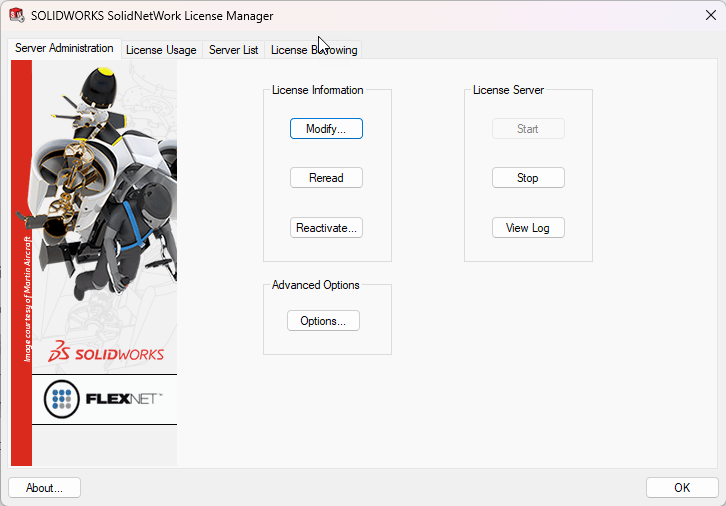
For SolidNetwork License Manager (SNL) 2025 SP2, the activation wizard is not properly activating or deactivating licences.
There are 2 issues;
- The SNL manager is not currently recognising activated licences if using the 2025 SP2 SOLIDWORKS Activation Wizard
- The 2025 SP2 Activation Wizard (swactwiz) does not allow deactivation of SOLIDWORKS SNL licences
Current SolidNetwork License Manager Activation Solution
Customers should install SolidNetwork License manager SP1.2. Please note SOLIDWORKS SP2 is compatible with SolidNetwork License manager SP1.2
You can download the SOLIDWORKS 2025 SP1.2 installer here or from your Visiativ Value Added Dashboard on your 3DEXPERIENCE Platform.
Alternatively Visiativ customers can contact Support and we will happily assist you.
Please note: If you previously activated the SolidNetwork License Manager using SOLIDWORKS 2025 SP0 or SP1.2, you can continue using the SolidNetwork License Manager from 2025 SP2 without issue. Licence functionality remains unaffected – users can still check out and return licences to the pool as expected.

|
About the author: This tutorial was written by Elite SOLIDWORKS Applications Engineer and Training Manager, Alex Aprigliano. Adam has been with the Visiativ Technical Support Team since 2007. |
|||
|
|
View Alex Aprigliano’s LinkedIn Profile here.
|
|||