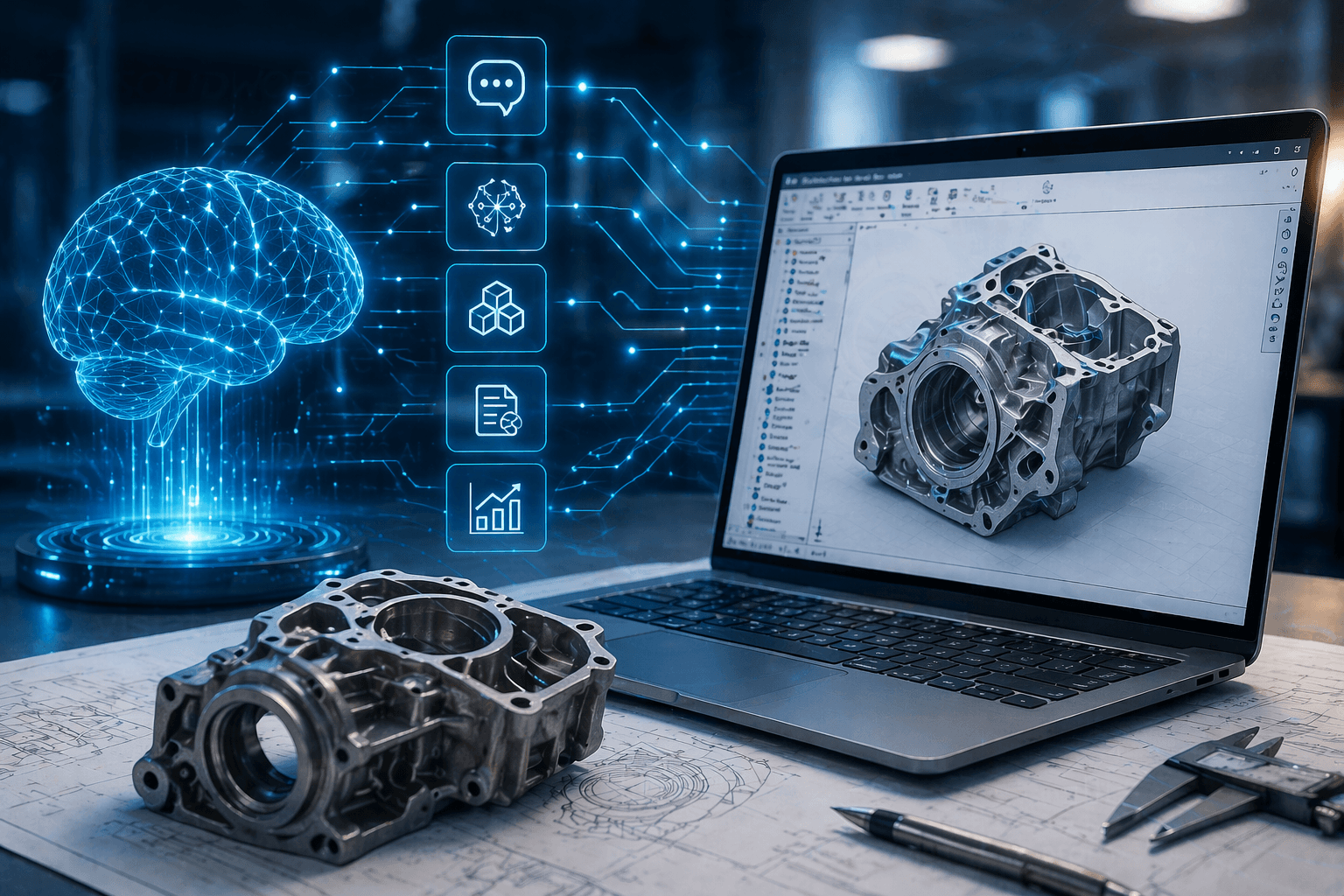
SOLIDWORKS AI: What It Is, How It Works & Why It Matters in 2026
23 April 2026
Artificial intelligence is transforming product design, and SOLIDWORKS AI is at the centre of that change.
From intelligent automation to generative design and AI assistants such as AURA, LEO and Marie. SOLIDWORKS is evolving into a platform that helps engineers make faster, more informed decisions.
In this guide, you’ll learn:
- What SOLIDWORKS AI is
- How it works today
- Key features and real use cases
- What it means for your business
What Is SOLIDWORKS AI?
SOLIDWORKS AI refers to artificial intelligence tools built into SOLIDWORKS and the 3DEXPERIENCE platform that assist engineers during the design process.
These tools help:
- Automate repetitive tasks
- Suggest modelling actions
- Generate optimised designs
- Improve decision making
Quick Answer:
SOLIDWORKS AI is a set of artificial intelligence capabilities that assist with design, automation and optimisation inside SOLIDWORKS and the 3DEXPERIENCE platform.
How Does AI Work in SOLIDWORKS?
AI in SOLIDWORKS works by analysing:
- Your design behaviour
- Existing CAD data
- Engineering rules and constraints
It then uses this data to:
- Predict your next action
- Suggest improvements
- Automate parts of the workflow
Quick Answer:
AI in SOLIDWORKS works by learning from user behaviour and engineering data to automate tasks, suggest design changes and optimise models.
What AI Features Are Available in SOLIDWORKS?
AI is not a single feature. It is a collection of capabilities across the platform.
1. AI Assistants in SOLIDWORKS
These are called SOLIDWORKS AI Companions, and they’re one of the most important developments in SOLIDWORKS AI.
These companions act as real-time guides inside your CAD environment, helping engineers work faster and more efficiently.
In recent updates, SOLIDWORKS has introduced dedicated AI design companions including:
- AURA – a conversational AI assistant that helps guide design workflows and answer engineering questions
- LEO – focused on design support and automation within modelling tasks
- Marie – supports data, lifecycle insights and collaboration across the 3DEXPERIENCE platform
These assistants can:
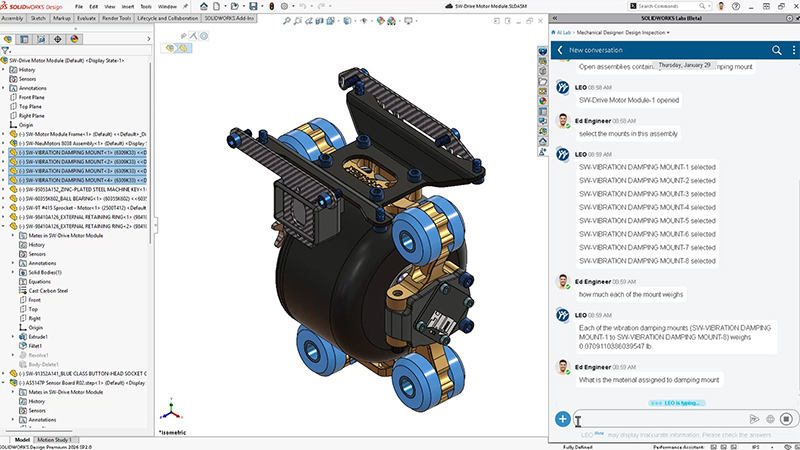
- Answer design questions in real time
- Suggest next modelling steps
- Help troubleshoot issues
- Guide users through complex workflows
Quick Answer:
SOLIDWORKS AI assistants such as AURA, LEO and Marie provide real-time guidance, automate tasks and help engineers make faster design decisions.
This creates a more intuitive and conversational design experience, especially for new users or complex projects.
🤖 Read our full guide on the SOLIDWORKS AI Companions here to find out more.
Watch: Virtual Companion Announcement at 3DEXPERIENCE World 2026
2. Predictive Modelling and Automation
SOLIDWORKS can predict what you are likely to do next and streamline your workflow.
Examples include:
- Tool and command suggestions
- Feature recognition
- Reduced manual input
This helps engineers work faster with fewer interruptions.
3. Generative Design
Generative design allows engineers to define constraints such as:
- Materials
- Loads
- Cost targets
The software then generates multiple optimised design options.
Quick Answer:
Generative design in SOLIDWORKS uses AI to create multiple design solutions based on constraints like weight, strength and cost.
4. Automated Drawings and Documentation
AI can automate time-consuming documentation tasks.
This includes:
- Creating 2D drawings from 3D models
- Structuring assemblies
- Identifying and fixing errors
5. AI-Driven Simulation
AI enhances simulation by:
- Identifying weak points in designs
- Suggesting improvements
- Supporting faster decision making

What Are the Benefits of SOLIDWORKS AI?
🚀Faster Design Cycles
AI reduces manual work and speeds up product development.
🎯Improved Design Quality
AI-driven insights help engineers make better decisions.
⚡Increased Productivity
Teams can focus on innovation instead of repetitive tasks.
🤝Better Collaboration
Cloud-based AI tools support connected teams through the 3DEXPERIENCE platform.
👉 Learn more about the 3DEXPERIENCE platform here.
What Is SOLIDWORKS AI Used For?
SOLIDWORKS AI is used across the entire product development process.
Common Use Cases
Product Design
- Generate multiple concepts quickly
- Optimise performance and weight
Manufacturing Preparation
- Automate drawings and BOM creation
- Identify manufacturability issues
Engineering Teams
- Standardise workflows
- Support new users with guided design
Is SOLIDWORKS AI Replacing Engineers?
No. SOLIDWORKS AI is designed to support engineers, not replace them.
Quick Answer:
SOLIDWORKS AI does not replace engineers. It enhances their work by automating repetitive tasks and providing intelligent suggestions.
Engineers remain essential for:
- Decision making
- Creativity
- Problem solving

SOLIDWORKS AI vs Traditional CAD
| Capability | Traditional CAD | SOLIDWORKS AI |
|---|---|---|
| Modelling | Manual | Assisted |
| Design exploration | Limited | Generative |
| Drawings | Manual | Automated |
| Decision making | Experience-based | Data-driven |
| Productivity | Slower | Faster |
The Role of NVIDIA and AI in Engineering
The growth of SOLIDWORKS AI is part of a much wider shift in engineering driven by advances in artificial intelligence and computing power.
NVIDIA, one of the global leaders in AI technology, is playing a key role in this transformation.
Jensen Huang, CEO of NVIDIA, has highlighted that AI will fundamentally reshape industries including engineering, manufacturing and product design.
His view is clear. AI will not just improve tools, it will redefine how products are designed and built.
This aligns closely with the direction of SOLIDWORKS and the 3DEXPERIENCE platform, where AI is becoming embedded across the entire product development lifecycle.
What This Means for SOLIDWORKS Users
- More powerful design tools driven by AI
- Faster processing and simulation capabilities
- Increased automation across workflows
- Better decision making using real-time data
This broader industry momentum reinforces why SOLIDWORKS AI is evolving so quickly and why businesses need to start adopting it now.
👉 Learn more about NVIDIA AI here.

What Is the Future of AI in SOLIDWORKS?
AI in SOLIDWORKS is developing rapidly and will expand into areas such as:
- Conversational design workflows
- Text-to-CAD modelling
- Fully automated design processes
- Deeper integration with cloud platforms
👉 Explore the SOLIDWORKS software range here.
Do You Need 3DEXPERIENCE for SOLIDWORKS AI?
Many advanced AI features are connected to the 3DEXPERIENCE platform.
Quick Answer:
Yes, many SOLIDWORKS AI capabilities are powered by the 3DEXPERIENCE platform, which provides cloud-based data and AI services.
This enables:
- Data-driven insights
- Collaboration across teams
- Scalable AI tools
How to Get Started with SOLIDWORKS AI
To start using AI in SOLIDWORKS:
- Use the latest version of SOLIDWORKS
- Connect to the 3DEXPERIENCE platform
- Explore AI-enabled tools and features
👉 You can also explore our training options here.
Why SOLIDWORKS AI Matters for Your Business
Adopting AI in engineering can help your business:
- Reduce time to market
- Improve product performance
- Lower development costs
- Increase innovation capacity
Companies that adopt AI early gain a strong competitive advantage.
Talk to Visiativ to find out more
Visiativ helps engineering teams adopt and scale SOLIDWORKS.
We support:
- Implementation of SOLIDWORKS and 3DEXPERIENCE
- Workflow automation
- Training and onboarding
- Ongoing optimisation
👉 Get in touch with our experts today!
People Also Ask:
🤖 What is AI in SOLIDWORKS?
AI in SOLIDWORKS refers to intelligent tools that automate design tasks, suggest improvements and help engineers work more efficiently.
🧠 Does SOLIDWORKS use artificial intelligence?
Yes, SOLIDWORKS uses artificial intelligence across design, simulation and automation, especially within the 3DEXPERIENCE platform.
⚙️ Can AI design parts in SOLIDWORKS?
AI can generate and optimise design concepts based on constraints, but engineers still review and refine the final designs.
📐 Is generative design available in SOLIDWORKS?
Yes, generative design capabilities are available through SOLIDWORKS and the 3DEXPERIENCE platform.
📈 What are the benefits of AI in CAD?
AI in CAD improves productivity, reduces errors, speeds up design processes and enables better decision making.