
SOLIDWORKS PDM: Version Free Variables
05 September 2025
Managing data efficiently is key when working in SOLIDWORKS PDM, and Version Free Variables can make this much easier. In this guide, we’ll explain what they are, why you might use them, and show you step by step how to set them up in your system.
What are Version Free Variables in SOLIDWORKS PDM?
Version free variables allow you to modify a variable of a file in SOLIDWORKS PDM without having to check the file out and create a new version. A typical example of where you might choose to use this is with variables that update over time – such as cost. The cost may be changing on a daily/weekly/ monthly basis, but the file itself does not change.
How to set up Version Free Variables
When creating a new variable in SOLIDWORKS PDM, simply check the Version Free checkbox here:
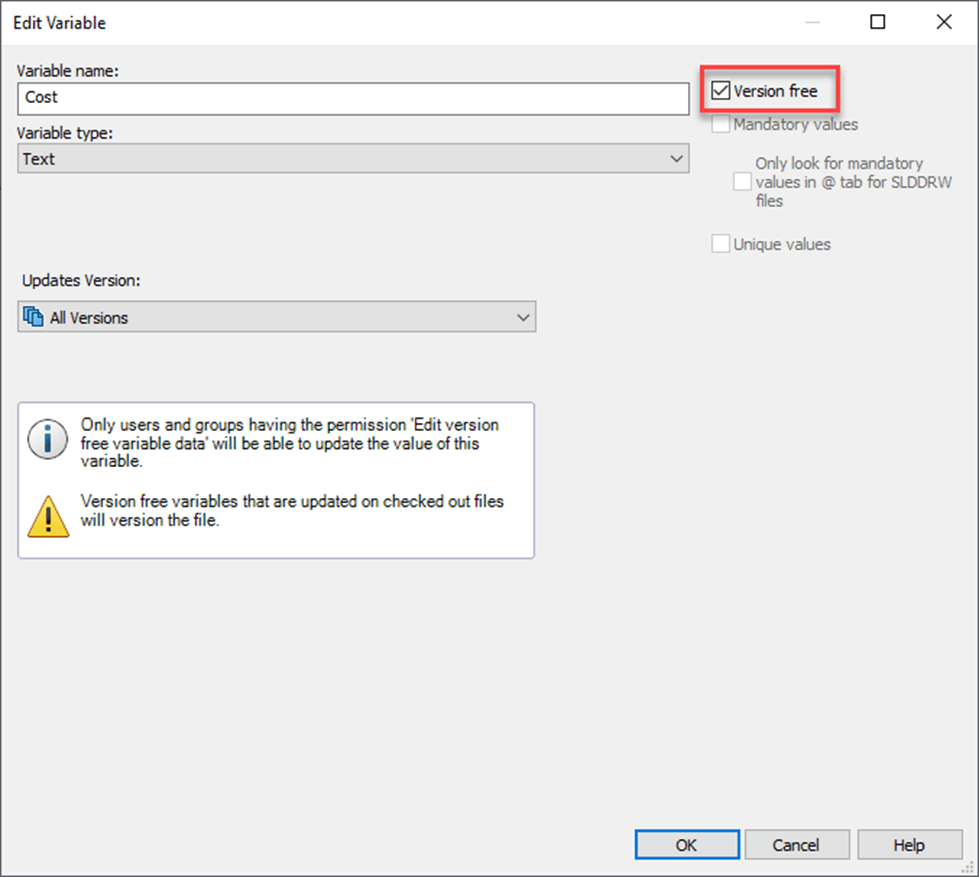
Please note it is not possible to link a version free variable to a custom property in SOLIDWORKS or metadata within another file type.
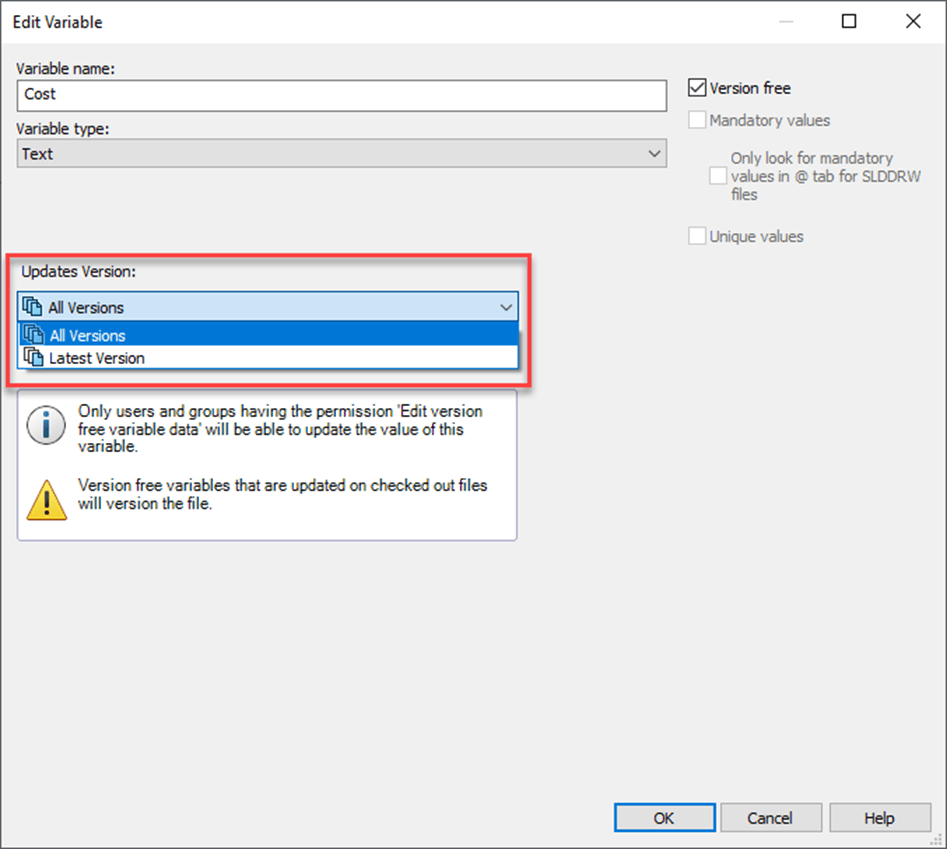
You can also choose whether the variable updates all version or the latest version here:
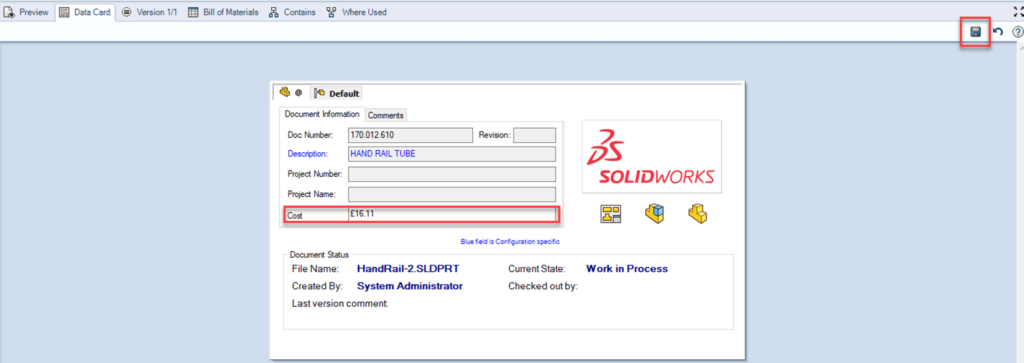
You’ll then need to modify your datacard to include an editbox linked to the version free variable.
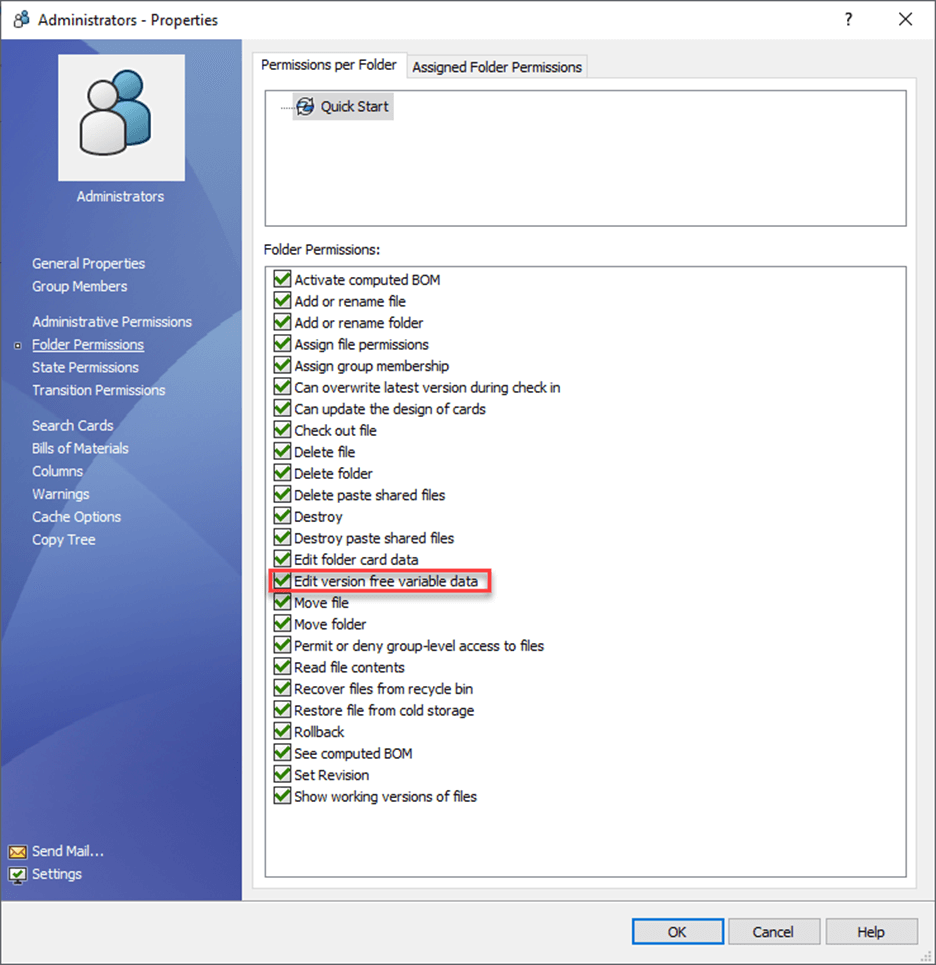
Finally you’ll need to give permissions for users to be able modify Version Free Variables. You can set this up within a user or group’s folder permissions in the PDM Admin tool here:
Now when you browse to a file that you’ve checked in, you’ll see that any editable fields within the datacard linked to version-free variables remain active and can be modified.
If you modify this value, be sure to click the save icon in the top right corner to save the changes.
We hope you found that useful!
For more PDM functionality, take a look myPDMtools which plugs straight into your SOLIDWORKS PDM Professional setup, providing you with more control of your design data than ever before.

|
About the author: This tutorial was written by Elite SOLIDWORKS Applications Engineer and Technical Support Manager, Alex Aprigliano. Alex has been with the Visiativ Technical Support Team since 2007. |
|||
|
|
View Alex Aprigliano’s LinkedIn Profile here.
|
|||