How SOLIDWORKS Helps Bulk Automation Design Better Packaging Solutions
20 July 2026
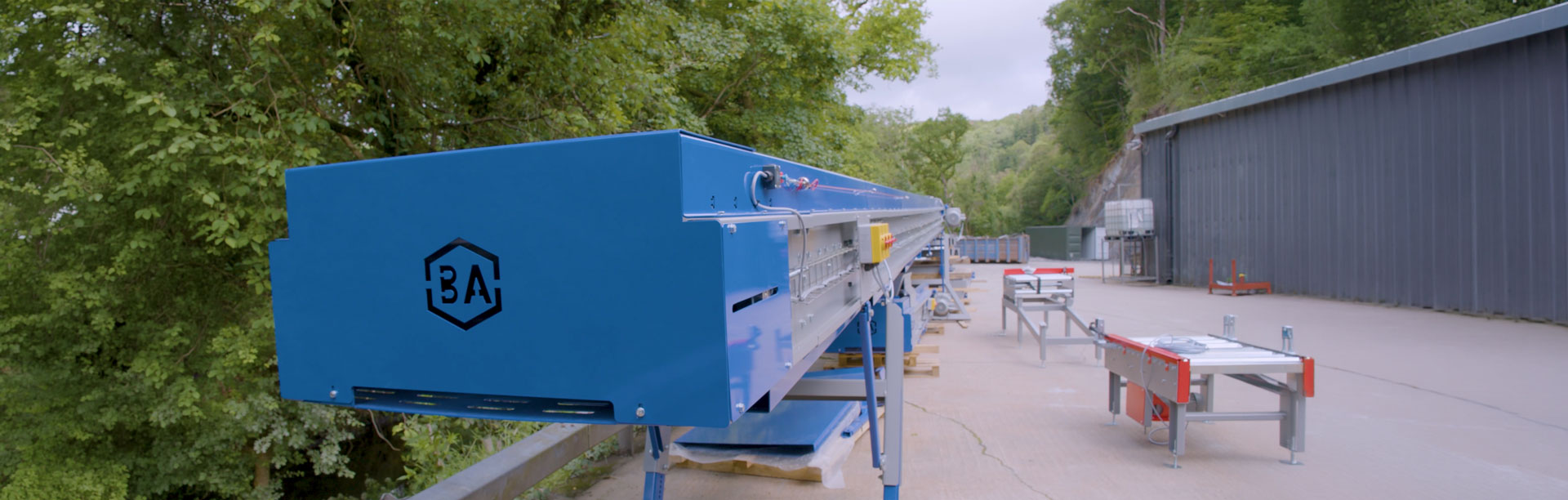
Bulk Automation was started in 2018. It started with just four people, with Mark Sargent, Director at Bulk Automation, handling the engineering and design work using SOLIDWORKS. Since then they’ve grown significantly and, in 2026, have a team of 32 people, including their own manufacturing facility.
Mark: “We set up the business to provide end-of-line automation systems to the market. Our primary focus is the aggregates industry and animal feed, supplying fully automatic bagging equipment, palletising systems, stretch hooders, pallet wrappers and more.
“We provide turnkey solutions for businesses across the UK and Ireland, delivering complete end-of-line automation systems.”
How do you use SOLIDWORKS at Bulk Automation?
Bulk Automation’s Design Engineer, Ieuan Evans, said: “Here at Bulk Automation, we use SOLIDWORKS to design everything in-house. We design, manufacture and build all on one site, which gives us complete control over our product range.
“That’s incredibly important for us. From raw steel arriving at the front gate through to the finished product leaving the factory, we maintain full control of the entire process.
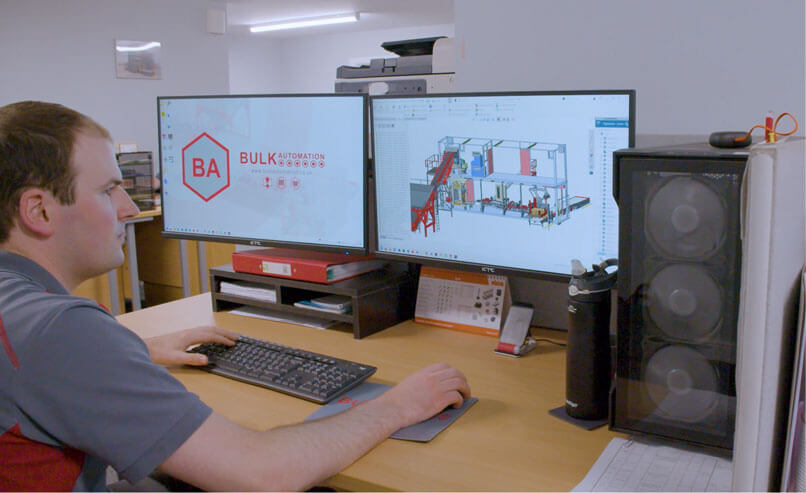
“We’re also making extensive use of the 3DEXPERIENCE platform for file management. We have three designers, including myself, and with 3DEXPERIENCE we can all work on the same model simultaneously across different PCs. That allows us to collaborate on different areas of a project while sharing common parts, without interfering with each other’s work because the master model is securely stored in the cloud and 3DEXPERIENCE.
“Within SOLIDWORKS, as a fabrication-heavy business, we make extensive use of the Structural Member and Sheet Metal tools. They’re essential to our day-to-day work, ensuring our fabricators cut steel to the correct lengths and assemble everything accurately. The Sheet Metal tools also feed directly into our plasma and laser cutting processes, giving us precise profiles that integrate perfectly with the fabricated sections.
“The eDrawings tool helps us maintain a fixed 3D model of the setup. That’s valuable right from the quotation stage through to project delivery. Once a project is secured, those same models are used throughout assembly and fabrication.
“We also use SOLIDWORKS Visualize extensively, particularly on the marketing side of the business, creating high-quality renders for marketing materials and social media.”
How does myCADtools help your business?
Ieuan: “We use several myCADtools utilities heavily, particularly SmartBOM, BatchConverter and SmartProperties. Those three tools are used every day and have significantly reduced the time between completing a design and releasing it for manufacture.
“They help us take a 3D model and associated drawings and quickly produce a complete production-ready package for our manufacturing team.
“By automating tasks such as saving DXF profiles and exporting drawings as PDFs, our designers no longer have to spend time on repetitive manual work. SmartBOM brings everything together into one organised package, which not only benefits the fabrication department but also provides our purchasing team with a ready-made bill of materials.”
What impact has SOLIDWORKS had on your business?
Mark: SOLIDWORKS has been massive for us. It allows us to prove concepts without having to build physical prototypes from raw steel first.
“We can design and test how a system will work before cutting a single piece of steel, dramatically reducing development costs and giving us confidence in the design before manufacturing begins.
“It really speaks for itself in terms of the value it delivers. It’s created significant time savings across the business.”
How has Visiativ supported your business?
Ieuan: “Visiativ have been instrumental in helping us transition from traditional Windows File Explorer-based file management to the 3DEXPERIENCE platform.
“They’ve supported us throughout the entire implementation process and have always been available whenever we’ve needed assistance. They’ve helped us integrate our systems and streamline the way we manage our designs within 3DEXPERIENCE.
Mark: “The whole design team has also received training on the software, delivered remotely. That means we haven’t needed to send engineers or designers away for training, saving both time and money.
“Having access to remote training and support has been invaluable.”
What’s next for Bulk Automation?
Mark: “We’re looking to continue developing our own equipment, growing the business further and increasing our turnover.
SOLIDWORKS will continue to be a key part of helping us achieve those goals.”
Watch: Bulk Automation Case Study Video
If you’d like to learn more about Bulk Automation and the work they do, visit their website.
Interested in SOLIDWORKS?
We’re on hand, ready to answer your questions. Call: 📞 UK: 01223 200690 📞 Ireland: +353 56771 9960