
How to: Add Your Visiativ Value Added Dashboard
21 August 2025
In this tutorial we provide an overview of how you can access and add your Visiativ Value Added dashboard to your tenant, a Visiativ subscription benefit. It gives you and your team easier and quicker access to useful information such as SOLIDWORKS desktop serial numbers and download media. In addition to this, you also get access to useful support tools and information about other Visiativ subscription benefits, such as myCADTools.
Not sure which licence type you have or need a hand with your dashboard? Contact our support team.
How to access your Visiativ Value Added Dashboard
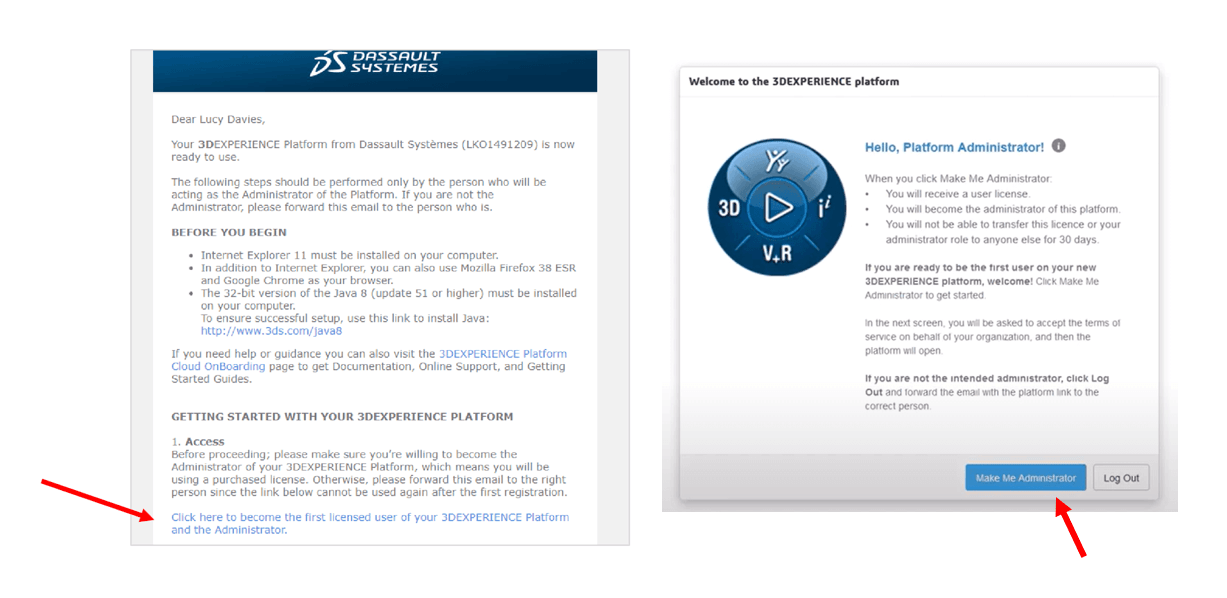
1. Your company’s intended Licence Administrator should receive a copy of your 3DEXPERIENCE Platform details from donotreply.emear.license-keys@3ds.com. Click the link in the email to accept and activate your licences. These 3DEXPERIENCE licences are available to you as part of your new Cloud Services for SOLIDWORKS subscription benefits.
Hit ‘click here to become the first licensed user of your 3DEXPERIENCE Platform and the Administrator’. Only the intended main Administrator user should click the link. Any user that clicks the link consumes a licence for a minimum of 30 days.
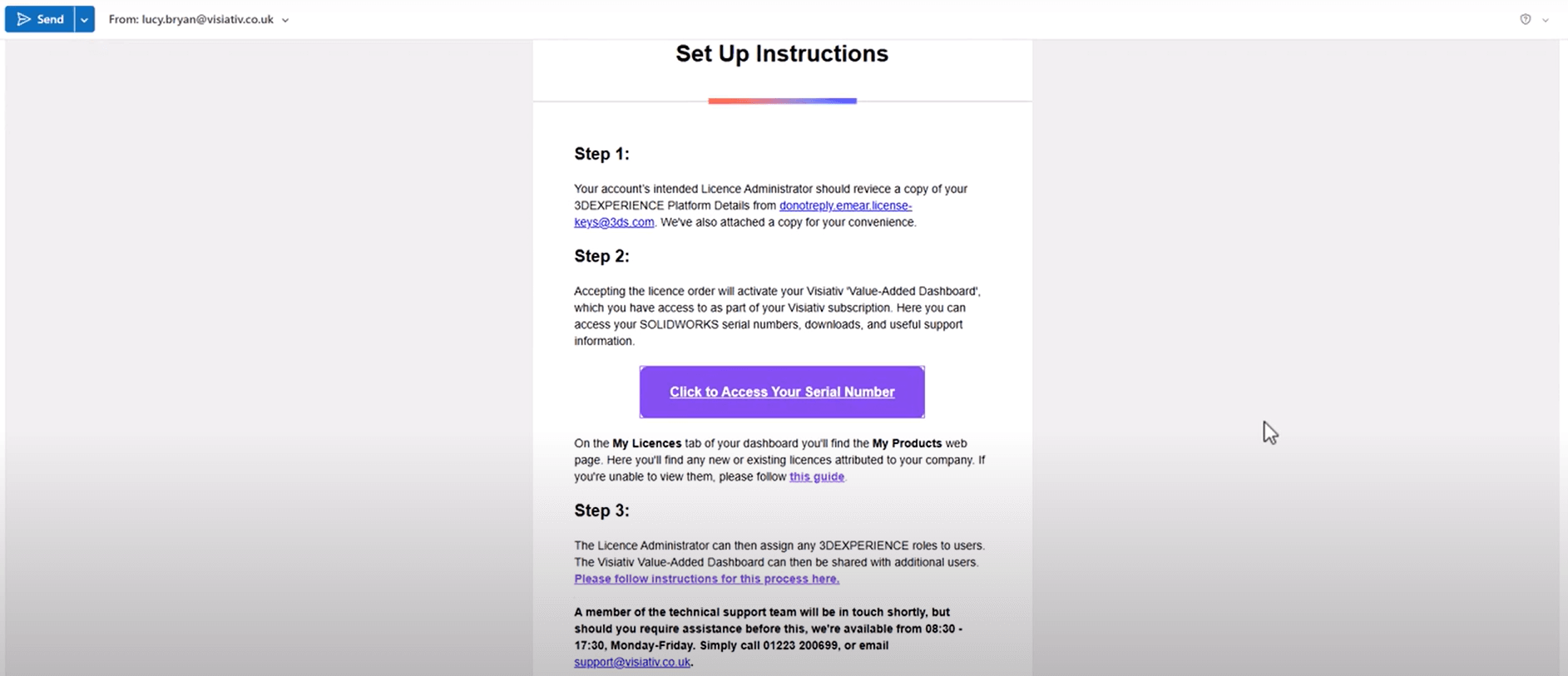
2. Accepting the licence order will activate your Visiativ Value Added Dashboard, which you have access to as part of your Visiativ subscription. Here you can access your SOLIDWORKS serial numbers, downloads and useful support information. You’ll have received a new licence email from your Visiativ representative, the link to your dashboard is found within it.
Hit the link to launch the dashboard in your browser of choice.
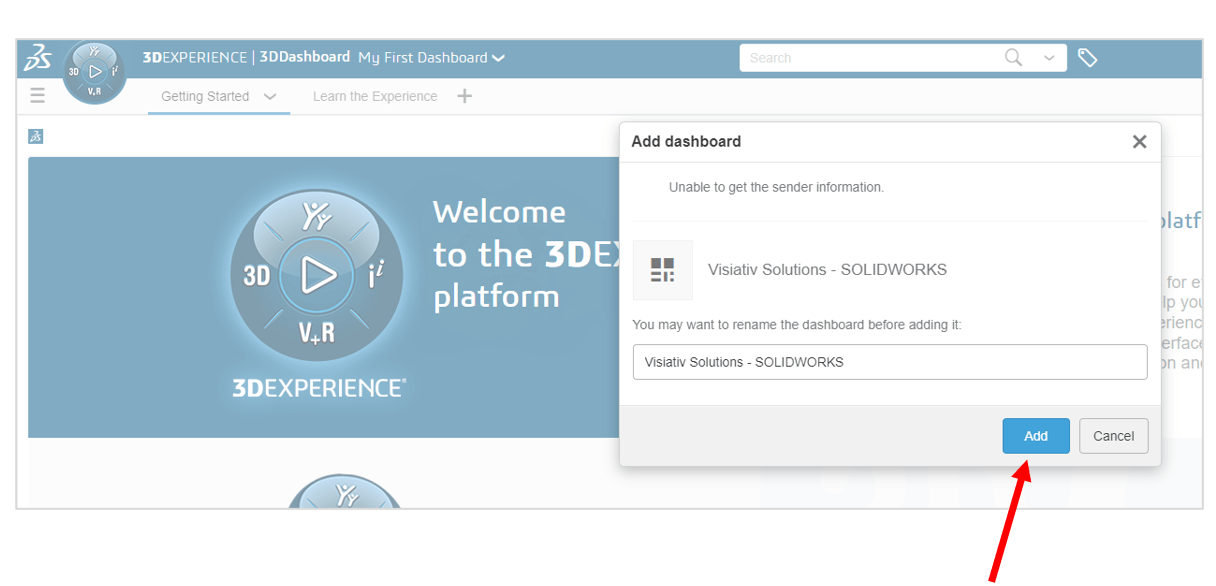
3. You should see a dialogue box, like the one below, appear. Clicking Add will add the dashboard to your tenant. Bookmark this dashboard in your browser for easy access in the future.
And that’s it! Here’s a video to see this in action:
 |
About the author: This guide was written by 3DEXPERIENCE Product Manager, Lucy Bryan. Lucy is an Elite SOLIDWORKS Applications Engineer and has been with the Visiativ Technical Support Team since 2019. |
|||
|
|
||||