
Iterations and Revisions with Cloud Services for SOLIDWORKS
30 May 2025
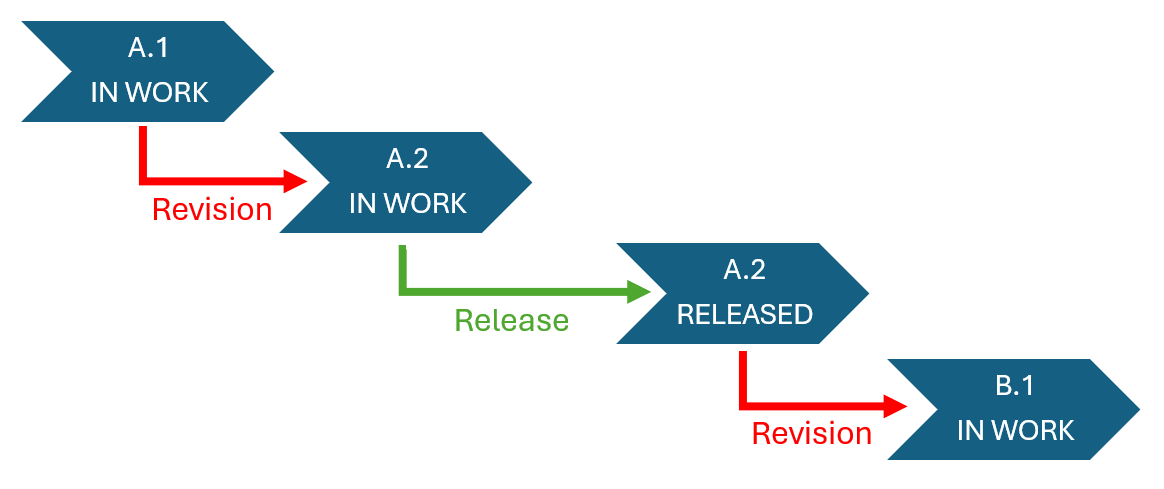
As with any CAD data management system, 3DEXPERIENCE Cloud services allows for the recording of multiple revisions of a SOLIDWORKS file. Upon saving to the cloud, your SOLIDWORKS files enter a revision-controlled workflow, which is utilised in many ways.
Revisions and iterations help companies track the changes of a product along with its history. For example, a company releases and manufactures revision A of a part and sells the part to customers. Then, because of a recent machine change, the company modifies the part and releases revision B. However, revision A still needs to exist in the system as it has already been to market.
Revisioning also helps companies duplicate, modify and build new products from existing designs. This helps reduce the costs, the associated labour and the time it takes to build new prototypes. Revisions and iterations are retained in the system and can be viewed at any time. They also provide valuable insights that help companies understand their development process, which helps with future designs.
Primary revisions vs secondary revisions
The 3DEXPERIENCE platform provides a robust mechanism for managing revisions that is easy to set up and maintain, with capability available out of the box. For those that require more comprehensive tracking, both primary and secondary revision values can be enabled.
The secondary values represent subsequent minor revisions or minor changes that need to be recorded in the system for historical purposes between the major revision changes. Secondary revisions are created before the product is released.
Revisions vs Versions
For those of us familiar with SOLIDWORKS PDM, we’re used to a different way of working. SOLIDWORKS PDM maintains the history of files through revisions, but also versions. Each time you modify or check in a file to PDM, a new version is created automatically. Only when a file reaches a certain workflow state (i.e. approved for manufacture), does its revision increment.
In the 3DEXPERIENCE data management system, a revision is either created manually or automatically, for example, via a Change Action process. So, revisions were the way to record versions in the system. Which is why generally, many users choose to enable both primary and secondary revisions. Versions as they were in PDM were not available.
Introducing Iterations!
However, now from 3DEXPERIENCE 2025x FD01, SOLIDWORKS and 3DEXPERIENCE Cloud Data Management users have the ability to use iterations to record versions of their CAD data in between revisions. Native apps, such as the SOLIDWORKS Connector, now have the ability to create iterations of physical products on every save. So how does it work?
1. Make a modification to a file saved to a 3DEXPERIENCE Collaborative Space from within the SOLIDWORKS window. The status of the file should show as modified. Note: make sure the file is locked to you to avoid accidental overwrites.
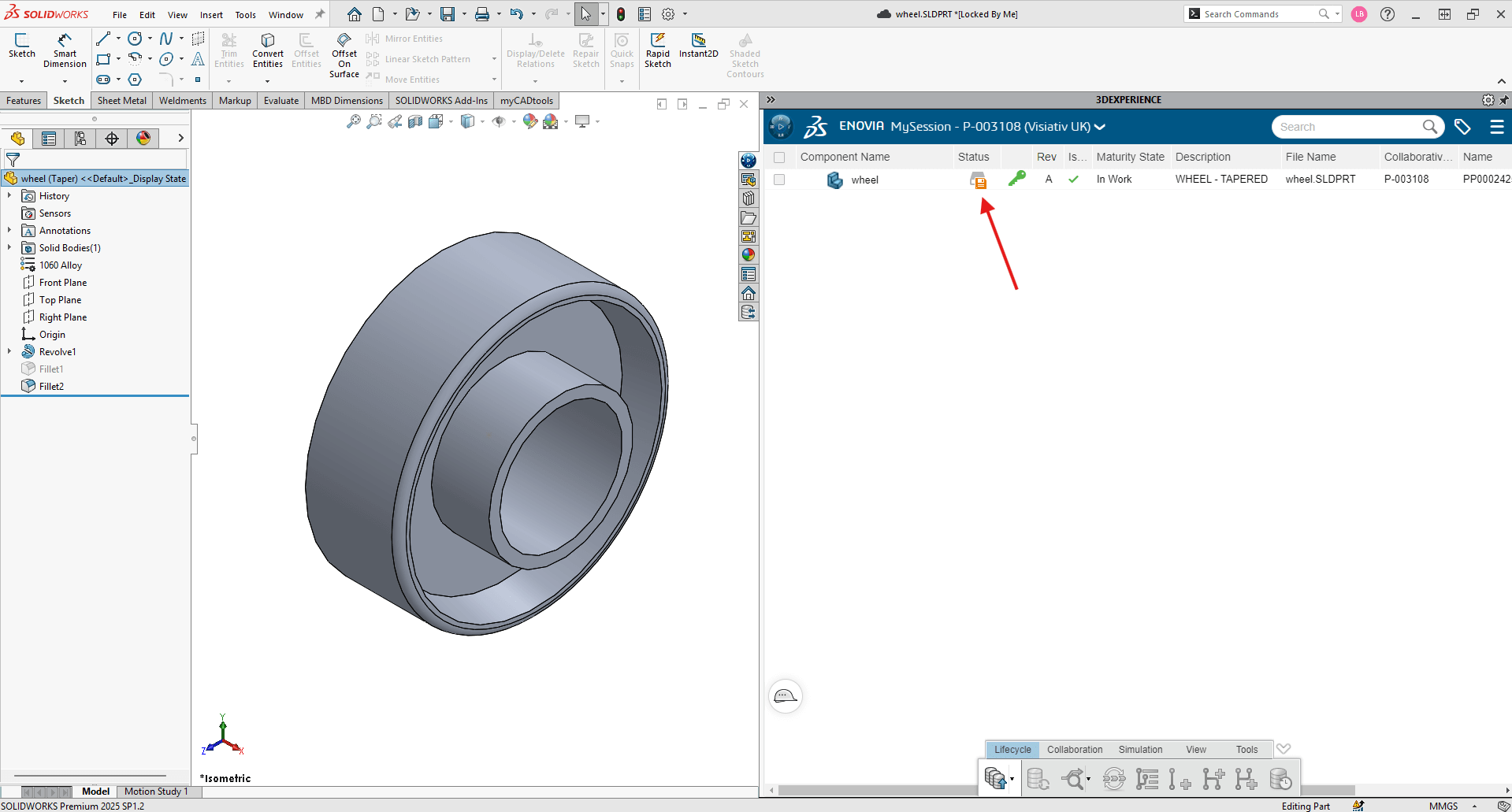
2. Hit Save with Options.
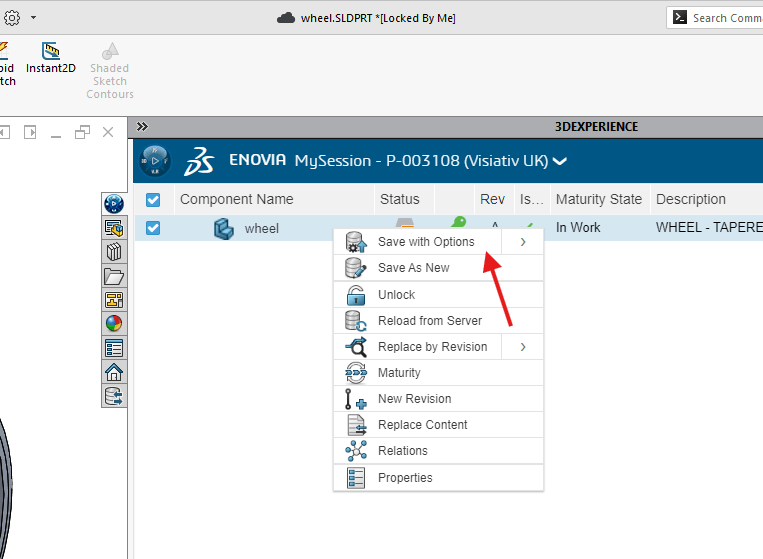
3. In the Save with Options dialog, check the box to Keep Previous Iteration.
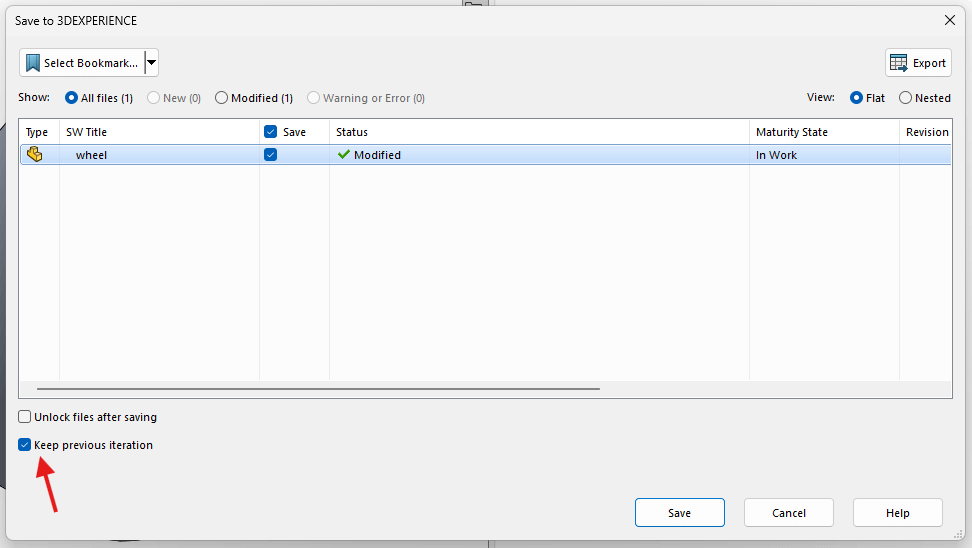
4. Hit Save.
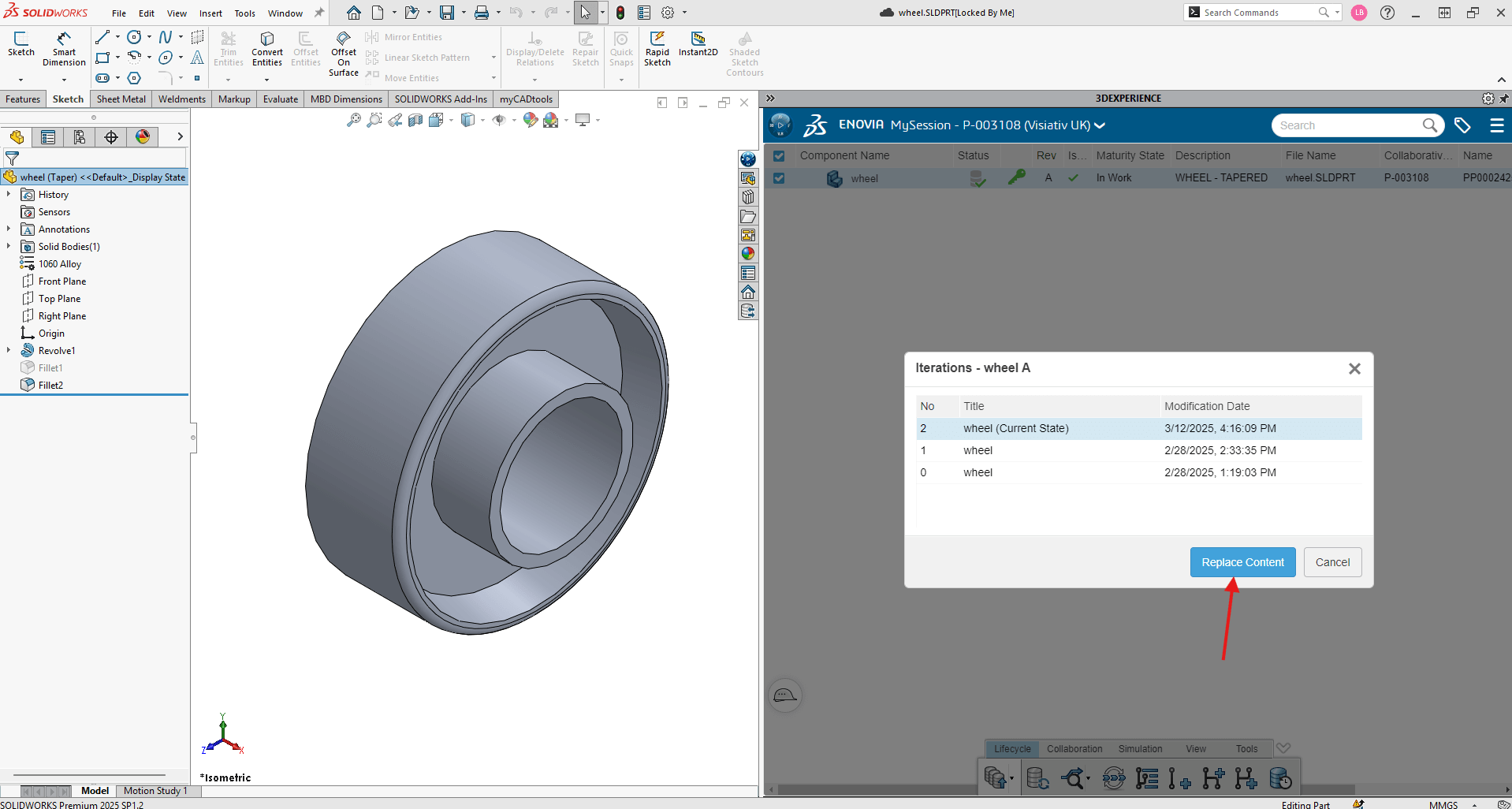
5. To access the iterations of the file, select the file in MySession and choose the Iterations button in the MySession toolbar.
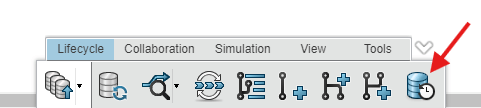
6. To view previous iterations, use Replace Content.
If you have any questions about how best to manage file versions when using Cloud Services for SOLIDWORKS, or would like to learn more about the 3DEXPERIENCE platform, give us a call on 01223 200690 or send us a message using the link below.
 |
About the author: This guide was written by 3DEXPERIENCE Product Manager, Lucy Bryan. Lucy is an Elite SOLIDWORKS Applications Engineer and has been with the Visiativ Technical Support Team since 2019. |
|||
|
|
||||