
Boost Efficiency With Electronic Document Management
20 June 2025
In fast-paced design and manufacturing environments, effective Electronic Document Management is essential – yet many engineering teams still rely on fragmented systems, shared drives or basic PDM tools. For SOLIDWORKS users in particular, issues such as version control, data duplication, delayed approvals and compliance risks can significantly impact project timelines and product quality.
As product complexity increases and collaboration across departments becomes more critical, traditional approaches to document management often fall short. This is where Product Lifecycle Management (PLM) offers a valuable step forward – providing a structured, scalable solution to manage engineering data, streamline workflows and support business-wide visibility.
In this article, we explore the challenges many SOLIDWORKS users face with document management, and how a PLM system such as Visiativ PLM can help boost efficiency with electronic document management.
Why is Electronic Document Management Important?
Efficient document management is important for all businesses, but it’s critical for most design and manufacturing operations. Inefficiencies, at best, will waste resources but more importantly can lead to:
-
- Missed or sub-optimal tenders
- Products late to market, missing the complete sales window and reduced revenue
- Wasted materials, manufacturing resource or supplier costs when items are manufactured using the wrong information
- Failure to meet compliance requirements (ISO, ITAR, MOD etc)
“Without trustworthy data that’s up-to-date, accurate, and easy to access, decision making at every step is compromised, and business will suffer.”
You may have seen diagrams like the one below before, but it brings the point home.
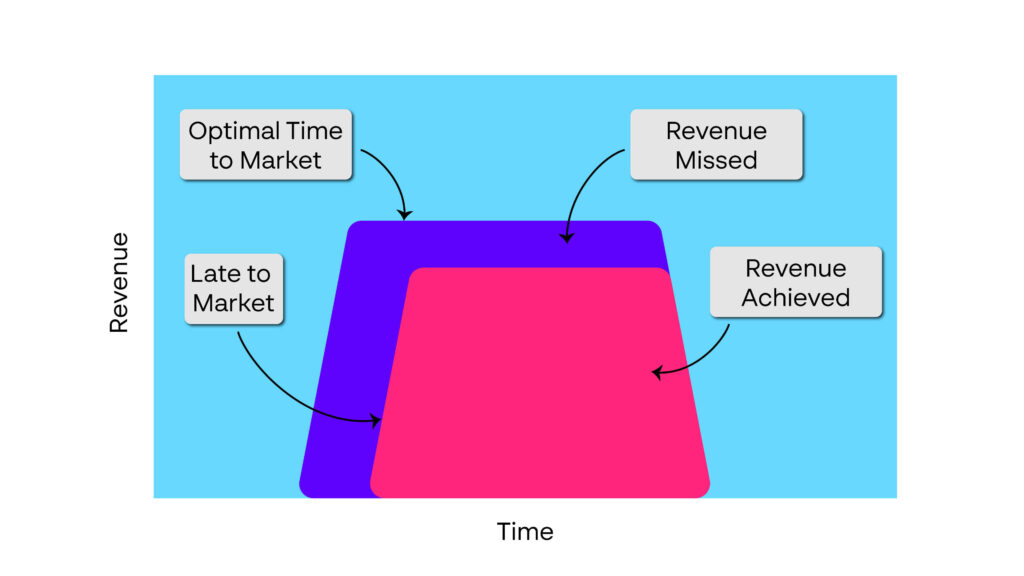
If you want more information on the costs of being late to market, I’ve included some links at the bottom of this guide that provide more information on this topic.
The challenges of document management will be very familiar to anyone working in an engineering/manufacturing environment. Often, they’re just accepted as ‘part of the job’, with everyone so busy dealing with the system that they have no time to fix it.
The trouble is that to keep our project afloat requires additional resource.
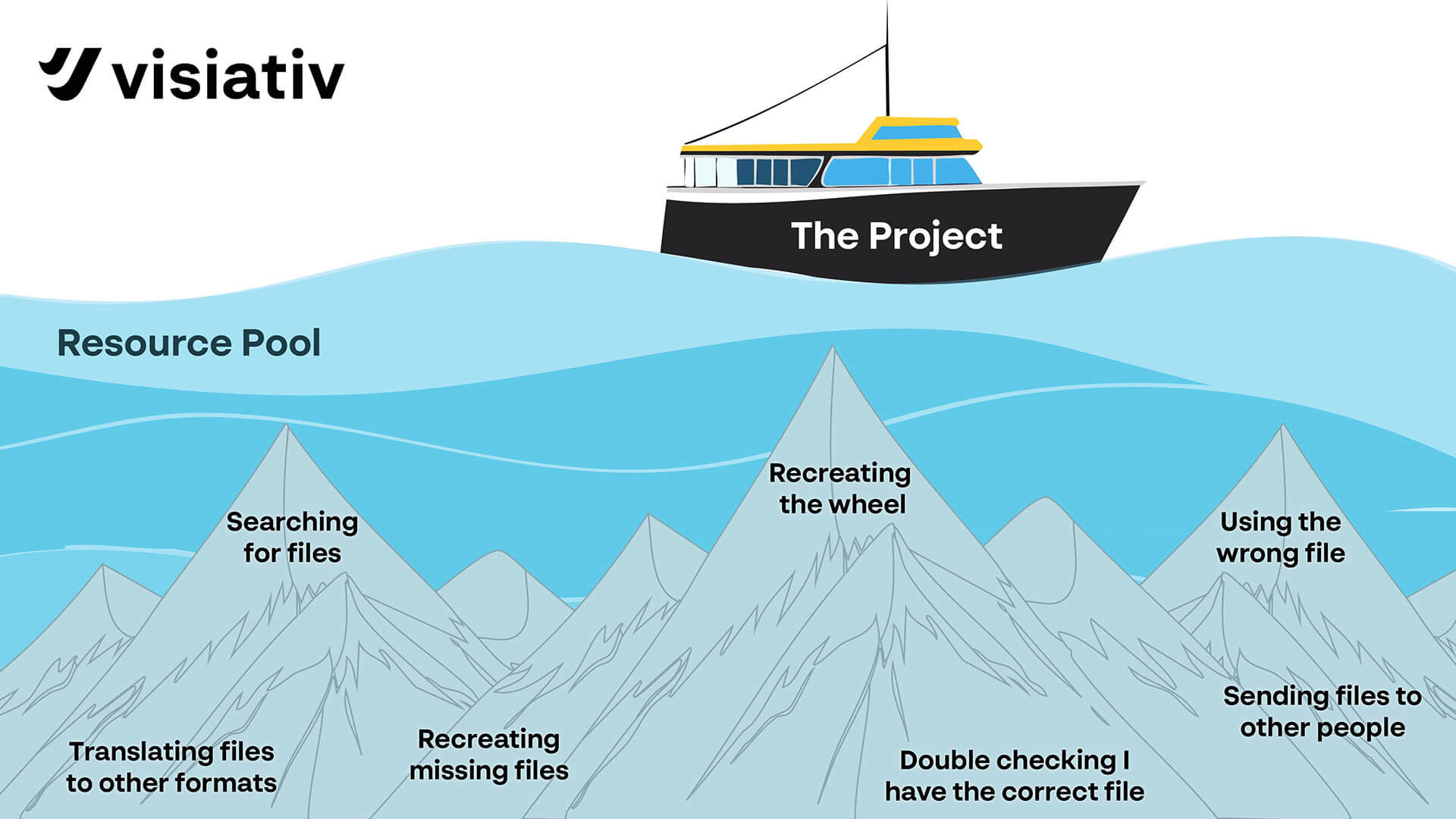
If we remove these tasks, the project can consume less resource, or produce a better result with the same resource.
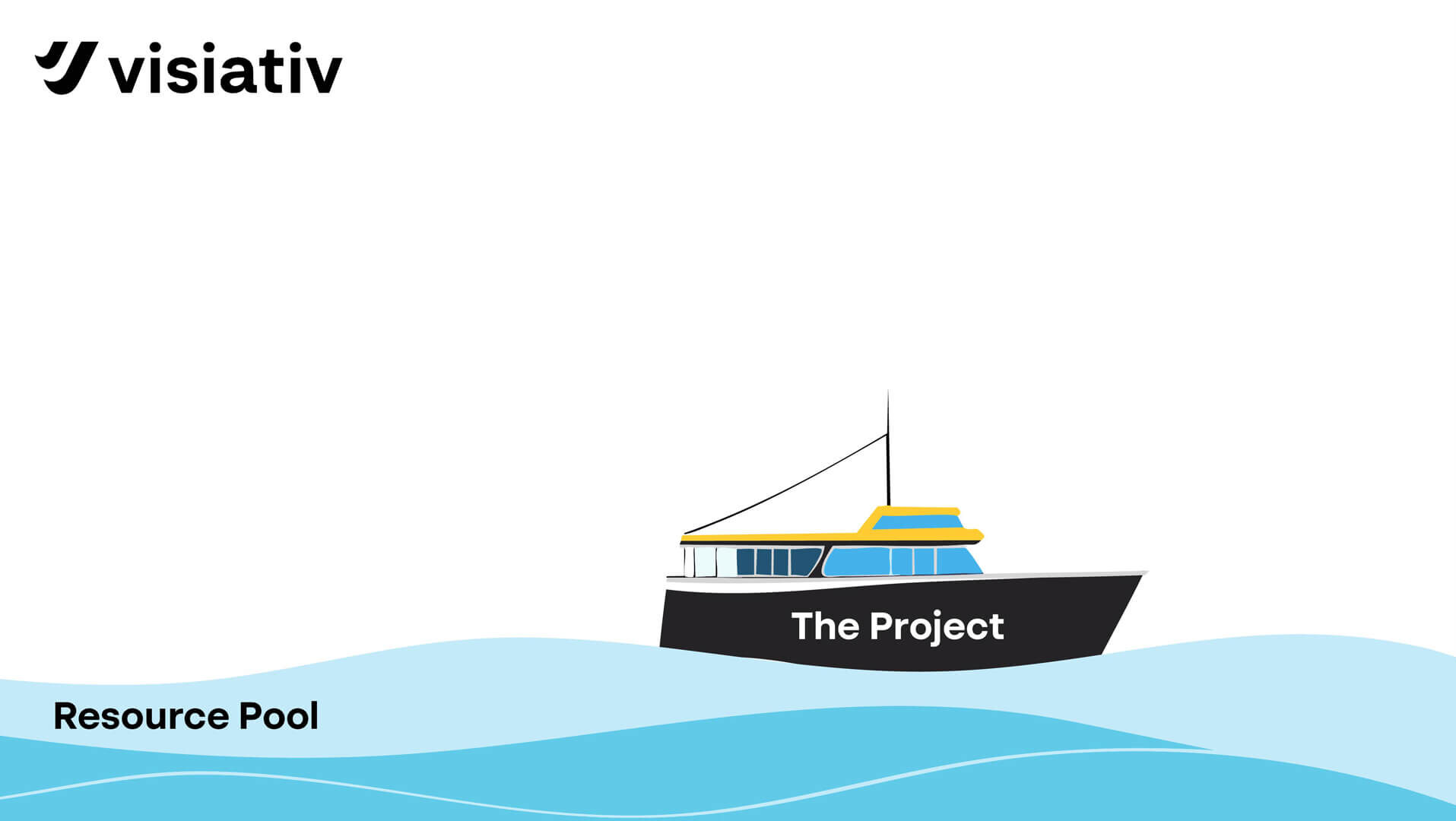
Do these problems seem familiar? You may have found ‘point’ solutions to some of them, but how much management do these solutions take? Have you created ‘islands of automation’? How ‘joined up’ are they as part of a consistent strategy?
Let’s look at the problems in more detail.
📂 Data and Files
- Looking for documents can be inefficient and frustrating;
- Sensitive information doesn’t always stay secure, or is too hard to access for those who have clearance
- Lack of audit trails for compliance (ISO9001, RoHS, MOD JSP 940 etc)
- Inconsistent approaches amongst individuals or departments in regard to;
- Files can only be viewed in the authoring software or require a manual task to convert them into an accessible format. This is particularly the case with CAD files.
- Document creation is very manual (no auto fill etc.)
- Manual document management is time-consuming and error-prone
- No single place to store information – gaps in back-up strategy
- No single place to search for information
- Expertise and system knowledge are lost when ‘knowledge workers’ leave companies
🔀 Workflow
- Poor visibility of document status and lack of transparent communication or reporting slows progress and wastes resources
- Unclear task ownership and bottlenecks delay document workflows
- Delayed access to the right information at the right time
- Engineering projects produce thousands of documents needing precise control, versioning and coordinated sharing across teams and sites
- Compliance challenges due to missing audit trails and poor traceability of decisions and approvals
💾 Business Information
- Confusion over document versions – is the latest revision clear and reliable?
- Backup and recovery issues – files may be lost, overwritten or hard to identify, especially with complex, interrelated files like 3D CAD
- Support for remote workers
- How easily do new hires and contractors follow the system?
- Inefficient collaboration holding back concurrent engineering.
What are the impacts of these challenges?
As summarised in the introduction these problems have the following impacts:
- Missed or sub-optimal tenders
- Products late to market and so missing the complete sales window.
- Wasted materials, manufacturing resource or supplier costs when items are manufactured using the wrong information.
- Inefficiency in all departments as people search for information and spend time verifying that it’s correct / complete.
- Failure to meet compliance requirements
How do we qualify/quantify the impact of these problems?
There are studies that found ‘knowledge workers’ spend between 20% and 30% of their time searching for information and up to 20% of their time duplicating work. But all businesses are different, so how do you assess the benefits of tackling these problems for your business? Your approach should be to gather your own data by surveying the work force in the engineering department and the departments that use information generated by them; manufacturing engineering, manufacturing, production planning, purchasing, service etc. In our experience managers and directors are surprised how much resource is used.
- Get people to record how much time they;
- Ask purchasing and manufacturing how much the value of scrap created in the last year due to the wrong drawing/model/data being used
- Ask marketing or sales to estimate the lost revenue due to tenders being late or products late to market
Potential Solutions
An Electronic Document Management system (EDM aka DMS), either as a standalone function, or as part of a larger system such as a full PLM implementation will provide the following functionality.
Easier Data Retrieval – the power of database search
Centralised storage with powerful search features, making it simpler to locate what you need. The centralised aspect of the system means that people can have a Single-Point-of-Enquiry and a single tool to familiarise themselves with.
Adding metadata (such as descriptions, release state or associated documents) to your files can significantly improve their searchability. Electronic Document Management systems incorporate powerful databases that allow users to search for files based on that metadata, saving time and improving productivity. Careful configuration of the system minimises the data entry requirement in populating the metadata by reading properties directly from the document or automatically filling information such as author, release date etc. Drop down lists and data entry masks speed data entry but also standardise terminology and reduce typos which leverages further the power of the search.
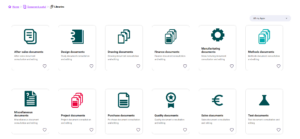
So, taking Visiativ PLM as an example, we see that the metadata allows the system to organise documents neatly by document type:
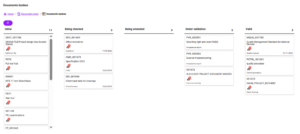
Or by state:
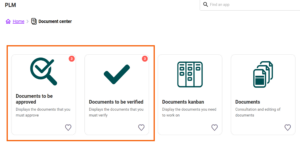
Or by the tasks allocated to me:
We can also search the metadata by keyword and then group the results by other metadata. In the example below, you can see that I search using a keyword (I could have used a combination of words) then I group the results by Document Type and then further by Status. I then check previews of interesting documents before opening one for editing.
With EDM we can find all documents with a certain property (customer, material, vendor etc) or with a combination of properties, for example we could quickly find all the parts that use a certain material within a given project or display the ROHS/REACH status of each part.
Version Control
By keeping track of various iterations of a document and knowing which are released, under editing, awaiting approval etc, an EDM system ensures that users can always access the latest version of a document. This reduces confusion and errors associated with people unknowingly using outdated information.
Greater Standardisation of Documents
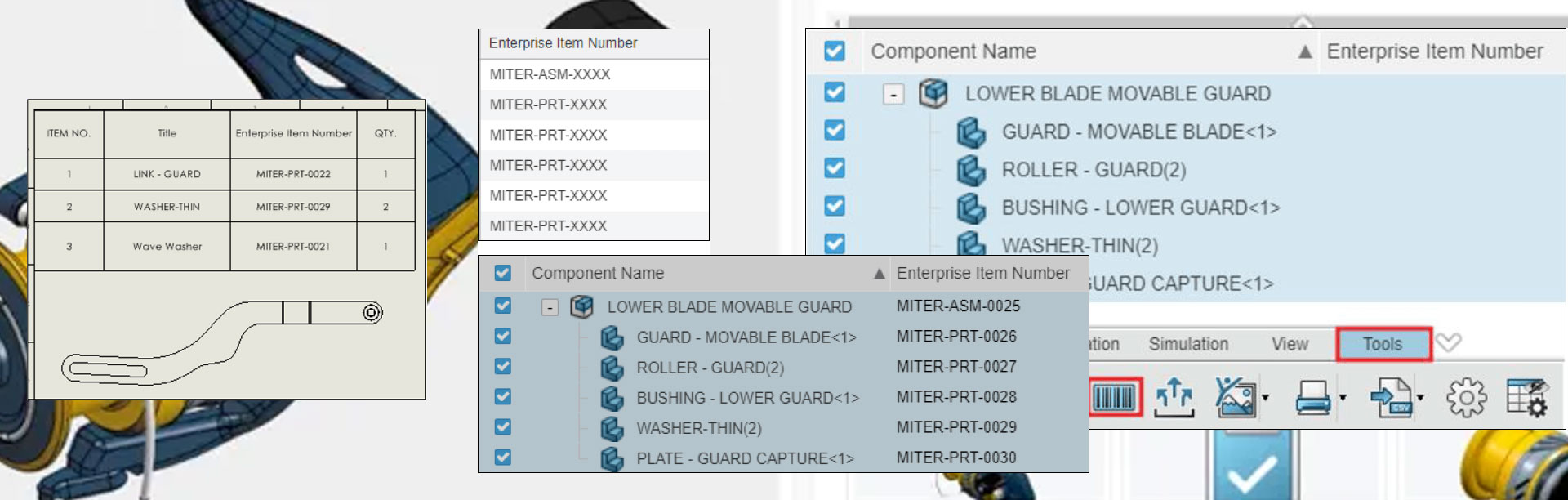
Managed document templates and the ability to automatically populate document content (Title pages, drawing borders etc) from data entry cards in the EDM system supports the standardisation of document formats. It can also standardise file names.
In the example below you’ll see how when a document is created from Visiativ PLM, the information captured in the data card is automatically read to a document created from a managed template.
The Electronic Document Management system can be configured to notify users when they have a task to perform and also remind them when a task is overdue. The same database can be used to produce reports detailing the state of all documents in a project, which documents are bottlenecking and with whom.
Casual viewers of the documents can also see the status of any document:
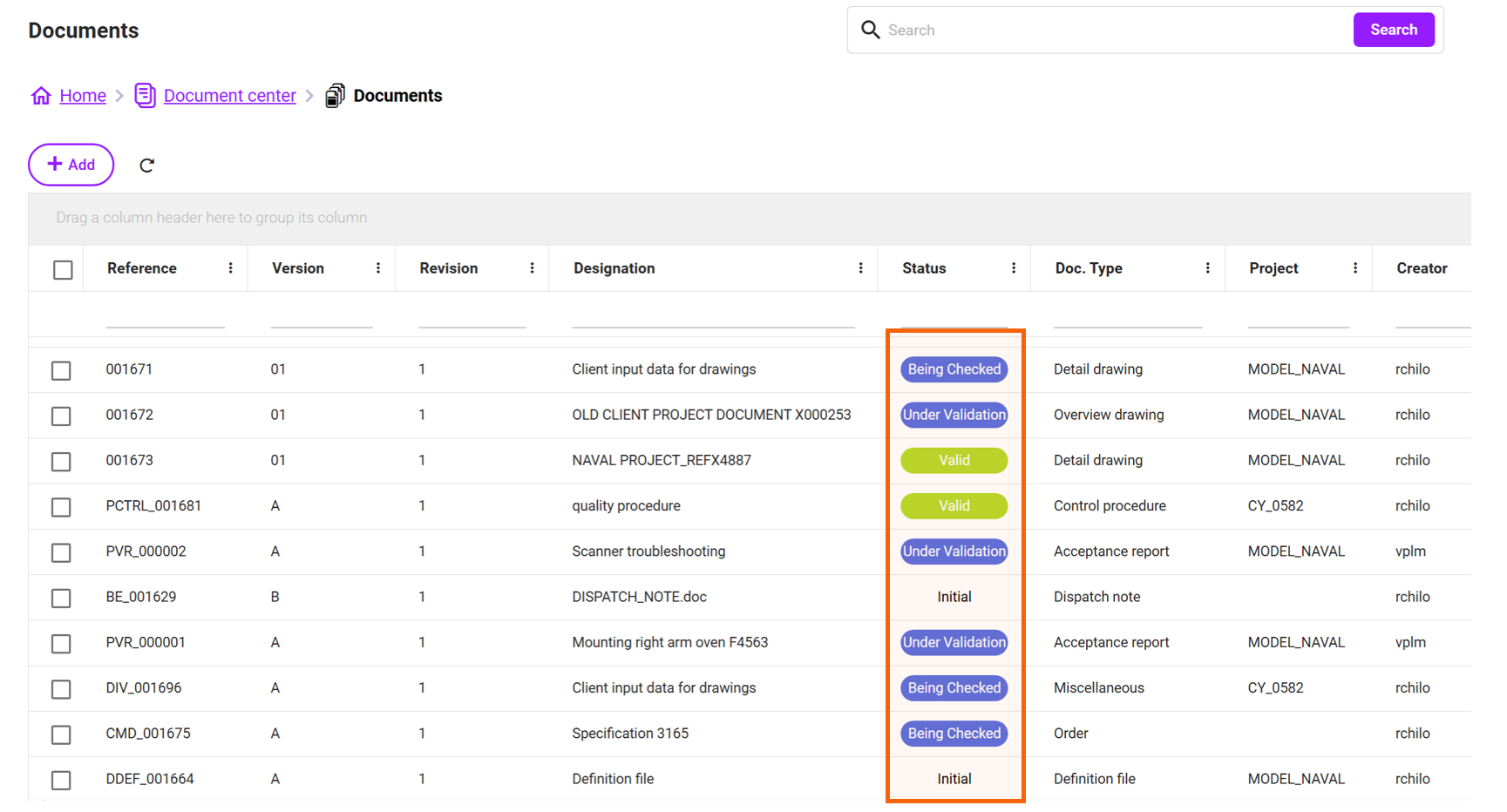
The same process that requires users to check or approve a document can be used to ensure a closed loop on a process so that users confirm that they have carried out other actions related to, or instructed, in the document.
Automation of Tasks
The use of automated workflows allows tasks that were once carried out manually (with the associated errors, interruptions and delays) can be easily automated. For example:
- Changes of file format
- Automatic distribution/notification of
- Report Generation
- File storage
Greater Productivity and Improved Collaboration
The streamlining of document access and management leads to a substantial decrease in time spent on manual tasks and information retrieval. It enhances collaboration by enabling multiple users to simultaneously access, edit and share documents, even in remote work settings. This capability fosters transparent communication, ultimately boosting overall productivity.
Security and Regulatory Compliance
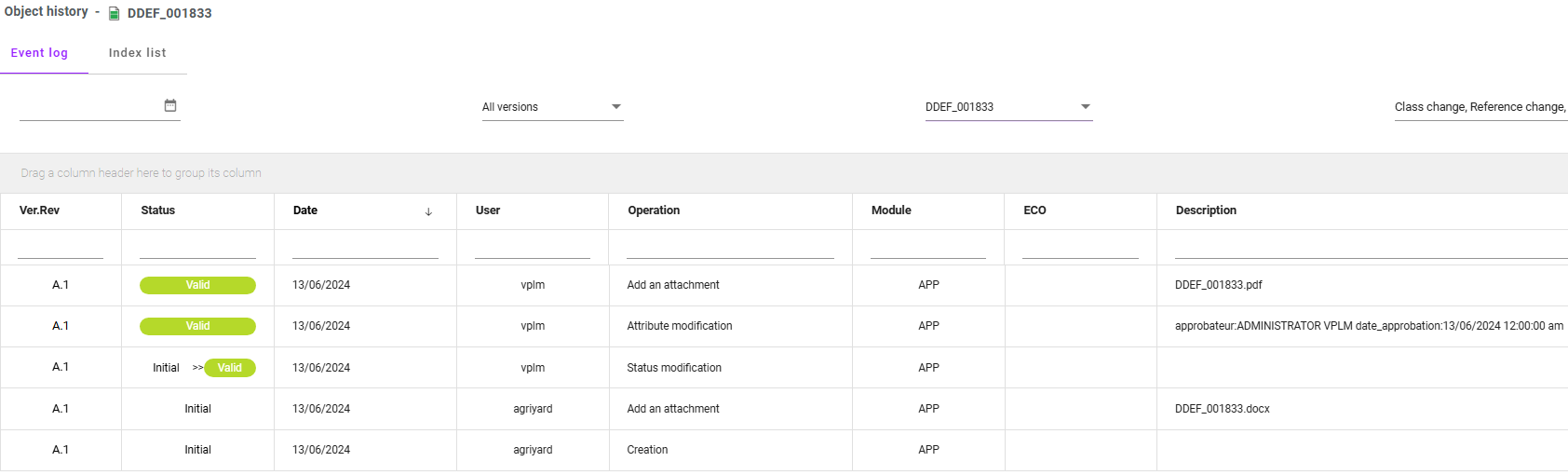
Document security is a concern for most businesses. An EDMS enhances security with access controls and audit trails. It can greatly reduce unauthorised access to data. Documents can be stored and retained in compliance with regulations. Audit trails for actions, such as edits and state changes, can be easily referenced during audits.
See below an example of an automatically recorded audit trail from Visiativ PLM.
Integration With Other Business Applications
Most Electronic Document Management systems offer a way to exchange data with other business applications such as CRM or ERP to boost efficiency and streamline workflows by reducing data re-entry and reducing the number of systems that some users have to interact with. For example, engineering users who currently have to access ERP to find certain information could find that information in EDM.
In addition, integration with authoring tools, such as CAD or MS Office means that users can manage documents directly within their preferred platforms. Integration reduces the need to switch systems and ensures consistent and up-to-date information.
Hopefully you’ve identified with many of the issues and solutions described in this article. Take the next step and contact Visiativ UK at the link at the bottom of this page or call 01223 200690, to take a deeper dive into the solutions we have available.
Useful links:
How to Calculate the Cost of Being Late to Market
The High Cost of Late-Stage Design Changes
Relative impact of early versus late design decisions in systems development
|
|
About the author: This product guide was written by Product Lifecycle Management Consultant, Dave Harrowell. Dave has been implementing PLM and PDM systems since 1998. |
|||
|
|
View Dave Harrowell’s LinkedIn Profile here.
|
|||